13 Best Video Editors Compared: Free Tools, YouTube, Social Media, Ads, and Collaboration
Compare 13 top video editors across free tools, YouTube, social media, ads, and team collaboration, with pricing and features current as of 2026.
Picking a video editor used to mean choosing between a handful of desktop programs. Now there are dozens of video editing tools, and they all do different things. A few are built for cutting footage on a timeline the traditional way. Others skip that step and generate video straight from a script or a prompt. Some barely touch editing at all and are really about avatars or translation. And a handful try to do everything at once.
That makes "best video editor" a genuinely hard question to answer with one name. So instead, this guide walks through the video editing software people actually compare against each other right now, what each one is built for, what it costs, and where it tends to fit best. We included Videfy in this comparison too, alongside the tools it gets compared to most often, so you can see how it stacks up rather than just taking our word for it.
A quick note before we get into it: pricing and features for AI tools change fast, sometimes month to month. Everything below reflects what each company had listed as of early September 2026. Check the provider's own pricing page before you subscribe to anything, since a number that was accurate when we wrote this could be outdated by the time you read it.
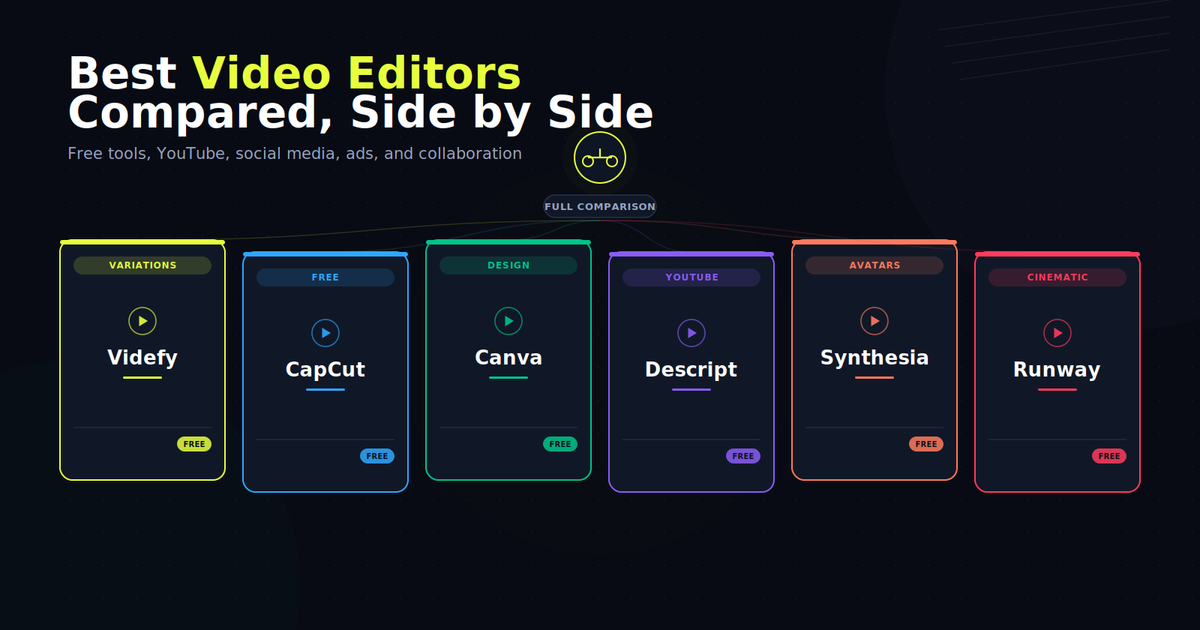
Video Editors Compared at a Glance
| Tool | Best For | Free Plan | Starting Price | Standout Feature |
|---|---|---|---|---|
| Videfy | Script to finished video, with variations | Free one-time credits | From ~$24/mo | One workspace for script, edit, and variations |
| LTX Studio | Multi-shot AI filmmaking | Free one-time credits | From ~$15/mo | Storyboard-first AI production |
| Descript | Podcast and talking-head editing | Free limited transcription | From ~$16/mo | Edit video by editing the transcript |
| InVideo | Prompt-to-video for regular creators | Free limited minutes | From ~$17/mo | AI-generated first drafts from a prompt |
| VEED | Browser-based editing with AI tools | Free watermarked | From ~$12/mo | Subtitles, translation, and AI edits in one place |
| CapCut | Mobile-first short-form editing | Free generous | From ~$8/mo | Full editing toolkit, free, on mobile and desktop |
| Canva | Design-first video and graphics | Free full editor | From ~$13/mo | Templates and brand kit shared across design and video |
| Tavus | Real-time conversational AI video | Free limited minutes | From ~$59/mo | Live, interactive AI video agents via API |
| Creatify | AI-generated UGC-style ad videos | Free limited credits | From ~$39/mo | URL-to-ad and avatar-led product videos |
| Pika | Short AI video clip generation | Free limited credits | From ~$8/mo | Fast, stylized effects like Pikaffects |
| Synthesia | AI avatar presenter videos | Free limited minutes | From ~$19/mo | Large avatar library for training and explainer video |
| Runway | Advanced AI video generation | Free one-time credits | From ~$12/mo | Cinematic Gen-4 model for creative video |
| HeyGen | AI avatar video with translation | Free 3 videos/mo | From ~$29/mo | Fast avatar video plus multilingual dubbing |
Prices shown are the lowest published monthly rate, usually with annual billing. Most tools charge more for monthly billing, and several use credit systems where your real cost depends on how much video you generate. Treat this table as a starting point for research, not a final quote.
Every tool on this page is described based on its own publicly available pricing and feature pages as of early September 2026. Video tool pricing changes often, sometimes through credit-system overhauls, sometimes through simple price increases, so treat every number here as a starting point for your own research rather than a final quote. Always confirm current pricing, credit limits, and feature availability directly on each provider's website before subscribing.
Best Video Editors in 2026
Here's a closer look at each of these video editing tools, what they actually do, and what they cost.
Videfy
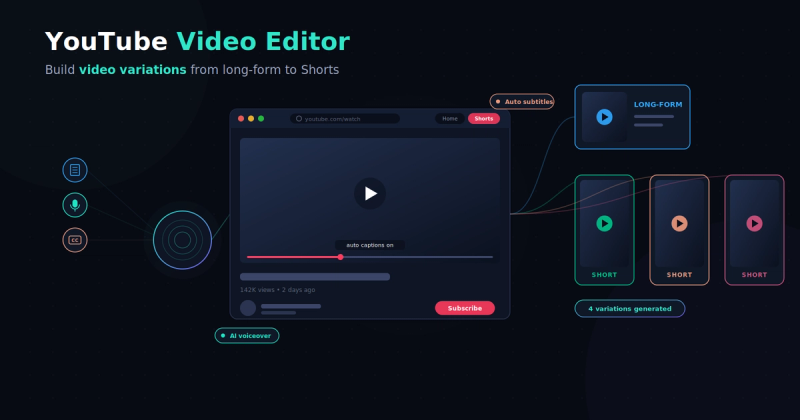
Videfy is a video creation platform built around one idea: take a script or a rough idea and carry it through the entire production process in one place. That covers writing and refining the script, building a storyboard scene by scene, generating assets and video clips, editing on a real timeline, adding voiceover and subtitles, and exporting the finished file. Teams can also collaborate directly in a project, leaving comments and working from the same workspace instead of passing files back and forth. The part that sets it apart from a typical video editor is what happens after the first version exists. Instead of rebuilding a project from scratch to try a new angle, you can generate video variations for different platforms, audiences, or languages without starting over.
The free Starter plan gives new users 500 one-time credits, 1GB of storage, and export up to 720p with a watermark, enough to test the workflow before committing to anything. Paid plans start around $24 a month for the Creator tier, which adds voiceover and subtitle generation, full generation access, cloud and local rendering, 1080p export, and no watermark. The Pro tier runs about $119 a month for higher credit limits and more storage. As with every credit-based tool on this list, how far your plan goes depends on how much generation your workflow actually uses.
LTX Studio
LTX Studio is a browser-based AI filmmaking platform aimed at people planning multi-shot video, think short films, ads, or anything with a real narrative structure rather than a single clip. The workflow leans heavily on storyboarding: you plan scenes before generating anything, which makes it a good fit for filmmakers, advertisers, and teams who want some structure before they start burning credits on generation.
The free plan includes 800 one-time credits for personal use, with no commercial rights. Paid tiers start at Lite around $15 a month for expanded credits, still personal use only, and move up to Standard around $35 a month, where commercial use kicks in along with access to more AI models. A Pro tier runs about $125 a month for heavier credit allowances, and Enterprise pricing is custom. Because everything runs on credits tied to generation complexity, actual output volume varies a lot depending on which models and resolutions you use.
Descript
Descript approaches editing from a different angle than most tools on this list: you edit the transcript, and the video follows. Delete a sentence from the text and it's cut from the footage. That makes it especially popular with podcasters and anyone doing talking-head or interview-style video, where the editing is mostly about tightening what was said rather than adding effects. It also includes tools like filler-word removal, AI voice cloning for fixing flubbed lines, and Studio Sound for cleaning up audio.
The free plan includes about an hour of transcription a month and basic editing, with a watermark on most exports. Paid plans start around $16 a month for the entry Hobbyist tier, moving up through Creator and Business tiers that add more transcription hours, 4K export, and team features. Descript's pricing has shifted a fair amount over the past year, so check current tier names and limits directly on their site before you commit.
InVideo
InVideo has moved from a template-based editor toward a prompt-to-video AI tool, where you describe what you want and it generates a first draft using stock footage, AI avatars, and generated media. That makes it a reasonable fit for creators who want to produce regular video, YouTube explainers, social clips, ads, without starting from a blank timeline every time. A separate legacy editor (InVideo Studio) still exists for more manual template-based work.
The free plan is fairly limited, a small weekly allowance of AI generation minutes and watermarked exports. Paid plans are credit-based and the published pricing varies noticeably depending on where you look, generally starting somewhere around $17 a month for the entry Plus tier and scaling well past $100 a month for higher tiers with more credits and avatar slots. Given how much InVideo's pricing structure has shifted recently, this is one where checking the live pricing page really matters.
VEED
VEED is a browser-based editor that bundles manual editing with a set of AI tools, auto subtitles, translation and dubbing, background removal, and eye-contact correction, all in the same interface. It's built to work entirely in the browser, which makes it an easy option for teams that don't want to install desktop software, and it supports collaboration across a few users even on lower tiers.
The free plan lets you edit and export at 720p with a VEED watermark and a capped video length. Paid tiers start around $12 a month (billed annually) for the entry Lite or Creator plan, which removes the watermark and unlocks 1080p export, moving up to a Pro tier around $21 to $24 a month for the full AI toolset, more subtitle translation minutes, and a larger brand kit. An Enterprise tier with custom pricing is available for larger teams.
CapCut
CapCut, made by ByteDance (the company behind TikTok), is one of the more generous free video editors available. The free tier includes a genuinely full editing toolkit, multi-track timeline, keyframe animation, chroma key, speed ramping, filters, and basic AI voiceover, on both mobile and desktop, with 1080p export and no blanket watermark on standard exports. It's especially popular with short-form creators making content for TikTok, Reels, and YouTube Shorts, though the toolkit is capable enough for longer edits too.
Paid tiers exist mainly to remove watermarks from premium templates and unlock 4K export, advanced AI tools like camera tracking and vocal isolation, and expanded cloud storage. Pricing has varied by region and by whether you subscribe through the app store or the website, but recent published rates put the Pro tier somewhere around $8 to $20 a month depending on billing term and platform. For a lot of casual and short-form creators, the free version alone covers most of what they need.
Canva
Canva isn't primarily a video tool, it's a design platform that happens to include a capable video editor, and that's exactly its appeal for teams already using Canva for graphics, presentations, and social posts. The video editor shares the same timeline-and-layer interface as the rest of Canva, so if you already know the design tool, there's very little learning curve. It includes templates, a large stock library, brand kits, and Canva's Magic Studio AI features for things like background removal and text-to-video drafts.
The free plan gives you the full editing timeline with basic templates and 1080p export. Canva Pro, which unlocks the premium template and stock library, Magic Studio AI credits, and brand kit tools, runs around $13 to $15 a month, often cheaper on annual billing. If video is only one part of what you need (alongside thumbnails, social graphics, and presentations) Canva's bundled pricing can work out cheaper than paying for a separate dedicated editor.
Tavus
Tavus is a different kind of tool than most of the others here. Rather than editing pre-recorded footage, it's a developer-focused platform for building real-time, conversational AI video agents, digital humans that can see, hear, and respond live during a video call or interaction. It's aimed at use cases like sales outreach, training simulations, and customer support rather than producing a finished video file to publish. Access is mostly through a white-labeled API, so it suits developers and teams building AI video into their own product more than someone looking for a standalone editor.
The free plan includes a limited number of minutes of conversational video and video generation for testing. Paid plans start around $20 to $59 a month depending on the tier and whether you're counting the consumer-facing PALs product or the developer Starter plan, and scale into custom enterprise pricing with usage-based billing for high-volume deployments.
Creatify
Creatify is built specifically around generating short, UGC-style video ads, the kind of casual, presenter-led clips that perform well on Meta, TikTok, and similar ad platforms. You can start from a product URL, a script, or a prompt, and Creatify generates a video using one of its AI actors, along with tools for testing multiple variations, hooks, and calls to action against each other.
The free plan includes a small number of credits, enough for roughly two video ads, with a watermark. Paid plans run on a credit system, with a Starter tier around $39 a month for about 100 credits and a Pro tier around $99 a month for roughly three times that. Because each finished video ad typically costs a chunk of credits rather than one, map out expected monthly output before picking a tier.
Pika
Pika is a fast, short-form AI video generator best known for its creative effects, things like Pikaffects, which can make objects in a clip melt, inflate, or explode, and other stylized transformations that most competitors don't offer. Clips are short, typically a few seconds up to around 10 seconds, which makes Pika better suited to social content, experiments, and creative b-roll than long-form production.
The free plan includes a monthly credit allowance at 480p with a watermark and no commercial use. Paid tiers start around $8 to $10 a month for a Standard plan with more credits, higher resolution, and commercial rights, moving up through Pro and higher tiers for heavier use. Credit costs scale with resolution and clip length, so a short 1080p clip can use up a meaningful chunk of a lower-tier monthly allowance.
Synthesia
Synthesia is one of the more established names in AI avatar video, and it's built primarily around business use cases: training videos, onboarding content, and multilingual explainer videos delivered by a presenter avatar rather than a real on-camera person. It supports a large library of stock avatars along with personal avatars trained on your own likeness, and it handles translation into a wide range of languages.
The free plan includes a small monthly allowance of video minutes and a limited avatar selection. Paid plans start around $19 to $29 a month for the Starter tier, which adds video downloads and a much larger avatar library, and move up to a Creator tier around $59 to $89 a month with personal avatars and API access. Because pricing is built around annual video minutes rather than just a monthly credit pool, check how far a given plan's minute allowance actually stretches for your publishing schedule.
Runway
Runway is a well-known name in AI video generation, particularly among creative professionals and filmmakers experimenting with its Gen-4 and Gen-4.5 models. It handles text-to-video and image-to-video generation, along with generative editing tools like inpainting and object removal applied to existing footage. It's less of a traditional cut-and-arrange editor and more of a generation and creative-effects tool.
The free plan gives new users a one-time batch of credits, enough for a short clip, with a watermark on exports. Paid plans start around $12 to $15 a month for the Standard tier, moving through Pro around $28 to $35 a month and higher Unlimited or Max tiers for heavier, faster generation. Credit consumption depends heavily on which model and resolution you use, so the real number of finished clips you get per month can vary a lot between users.
HeyGen
HeyGen focuses on AI avatar video, similar territory to Synthesia, but with a strong emphasis on speed and multilingual translation and dubbing. It offers a large library of stock avatars plus custom digital twins built from your own footage, and its translation tools can take an existing video and produce lip-synced versions in a range of languages.
The free plan allows a small number of short videos a month at 720p with a watermark. Paid plans start around $29 a month for the Creator tier, which unlocks unlimited standard avatar videos and a monthly allowance of premium credits for higher-end avatar generation and translation. Higher tiers, Pro and Business, run roughly $49 to $149 a month and add 4K export, more premium credits, and team collaboration features.
This comparison is not sponsored by any of the companies listed, and inclusion on this page isn't an endorsement or a ranking. All product names, logos, and trademarks mentioned belong to their respective owners. We've aimed to describe each tool factually and fairly, but no comparison like this can capture everything; your own workflow and testing are the best way to confirm which tool actually fits your needs.
What Are the Best Video Editors for YouTube?
When people ask about the best video editors for YouTube, the answer usually comes down to two things: whether the tool handles long-form editing well, or whether it makes it easy to turn one video into several formats.
Descript stands out for talking-head and interview-style YouTube content, since editing by transcript makes trimming a long recording much faster than scrubbing a timeline by hand. InVideo leans toward AI-assisted production from a prompt, useful for channels publishing on a regular schedule who want a first draft generated before they fine-tune it. Videfy starts from a script too, but the bigger draw is what happens after that first draft, producing multiple video variations to test before you commit to one. If your channel relies on a presenter avatar rather than filming yourself, Synthesia and HeyGen both fit that niche well, particularly for explainer or training-style content. And if part of your workflow includes turning long videos into Shorts, that's worth weighing directly, since not every tool on this list handles that repurposing step without extra work.
What Are the Best Free Video Editors?
If cost is the main factor, CapCut and Canva are the two strongest genuinely free options on this list. CapCut's free tier includes a full multi-track editing toolkit with no blanket watermark and 1080p export, which is unusually generous compared to most competitors. Canva's free plan gives you a complete video editor bundled with its design tools, useful if you're already making thumbnails or social graphics there anyway.
Most of the other video editing software here, several of them closer to an AI video editor than a traditional cutting tool, offer a free tier too, but with real limits worth knowing about upfront: watermarked exports, capped resolution, or a small one-time or monthly credit allowance that runs out fast once you start generating video. VEED, Runway, Pika, and LTX Studio all fall into that category, useful for testing whether a tool fits your workflow, but not something you'd rely on for regular publishing without upgrading. If you're specifically after the best AI video editor with a usable free plan, LTX Studio and Runway are worth testing first, since both lean further into AI generation than manual, timeline-based editing.
What Are the Best Video Editors for Social Media?
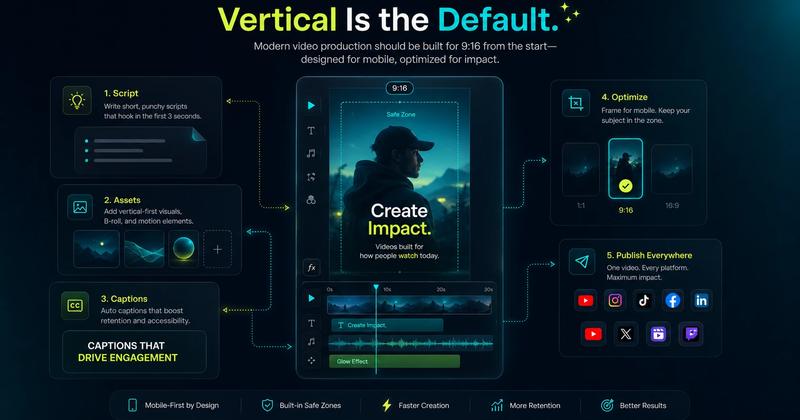
Short-form, platform-native content has different needs than a long YouTube upload, mainly speed, vertical formats, and built-in captioning. CapCut remains a go-to here, largely because it was built with TikTok-style editing in mind from the start and it's genuinely free to use well. If you want the fuller picture of what actually matters in a video editor for TikTok, safe zones, pacing, and export specs, we've covered that in more detail separately. VEED and InVideo both handle auto-resizing and captions for multiple platforms in one pass, useful if you're posting the same content across TikTok, Reels, and Shorts.
If your social content leans toward ads rather than organic posts, Creatify is built specifically for that, generating UGC-style video ads with built-in variation testing for hooks and calls to action. And for creators who want to build several platform-specific cuts from one piece of source footage without re-editing each one from scratch, that variation-generation approach, which Videfy is also built around, is worth factoring into the comparison.
What Are the Best Video Editors for Ads and Marketing Creative?
With ads, the real question isn't whether one edit looks good. It's whether you've got more than one version ready to test, since you rarely know which hook or angle will actually convert until people see it.
Creatify is built specifically for this, generating UGC-style video ads from a product URL or script, with tools for testing different hooks and calls to action against each other. Videfy takes a similar approach built around video variations, but starts from a broader production workflow, script through storyboard through export, so the same source material can get reworked for different platforms or audiences without rebuilding the project each time. InVideo and Canva both work here too, mainly through templates that speed up producing a first draft, though neither is built around structured variation testing the way Creatify and Videfy are.
What Are the Best Video Editors for Teams and Collaboration?
Most video editing software is still designed for one person working alone, so if a project needs input from a few people, check for that directly rather than assuming it's included.
Canva is an established option here, its multiplayer editing has been part of the platform for years, and it extends across video, design, and presentations under one brand kit. Videfy includes collaboration tools built around a shared workspace, letting a team leave comments and work on the same project instead of passing files back and forth. Descript's team and business tiers add shared folders and permissions, useful for a podcast or video team splitting editing duties. VEED also supports a small number of collaborators even on its lower tiers, worth checking if you're a small team that doesn't need Canva or Descript's fuller feature set.
Video Editor Questions People Actually Ask
What's the best video editor for creating multiple video variations?
Videfy is the tool most built around this specifically, generating several versions of the same video, different hooks, lengths, languages, or platform cuts, from one source project instead of rebuilding it each time. It's less about picking one "best" version upfront and more about having enough options to actually test which one works.
Can a video editor turn one long video into several Shorts automatically?
Yes, though it's not universal. Videfy is built to pull clips and highlights from a long-form video and turn them into standalone Shorts without a separate editing pass. CapCut and VEED can do this too, but usually require more manual selection of which moments to cut.
What's the difference between a video editor and an AI video generation platform?
A traditional video editor works with footage you already have, cutting, arranging, and adding effects on a timeline. A platform like Videfy or LTX Studio starts earlier in the process, turning a script or idea into footage and assets before editing even begins, then carries that through to a finished, exportable video.
Which video editor is best for testing ad creative before scaling a campaign?
Creatify and Videfy are the two names built specifically for this, and the right pick usually comes down to where you're starting from. Creatify is the faster route if you're starting from a product URL and want ad variations quickly. Videfy fits better if your process starts with a full script, since the variations come out of that same production pipeline instead of a separate ad-generation step.
Do any video editors support team collaboration?
Yes. Canva has supported multiplayer editing for years across its whole platform. Videfy includes a shared workspace with commenting built in. Descript's Business tier and VEED's lower tiers also allow a small number of collaborators on the same project.
What's the best free video editor overall?
CapCut and Canva are still the strongest picks, covered in more detail above, since neither charges for a genuinely full editing toolkit. Most AI generation tools, including Videfy, offer a free tier too, but it's typically a one-time batch of credits rather than ongoing free use, not something to count on long term.
What Makes Videfy Different From Other Video Editors?
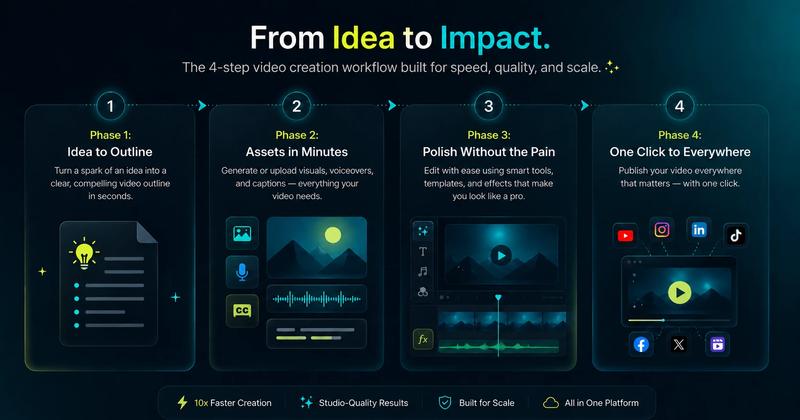
Most of the tools above are built to help you finish one video. Videfy is built around what happens after that: turning the same idea into several versions, a different hook, a different length, a different platform cut, without rebuilding the project from scratch each time. The workflow runs idea to script to storyboard to generation to editing to export in one place, and the variations come from that same source material rather than a separate process.
That matters most once "finishing a video" isn't really the goal anymore, testing which version actually performs is. If you're publishing once and moving on, that difference won't mean much. If you're trying to find a winning hook or creative before you put budget behind it, it's worth factoring in.
Learn with Videfy
Discover tutorials, AI best practices, feature updates, and creative inspiration to level up your video production.