How to Storyboard a Video From Script to Scene Plan
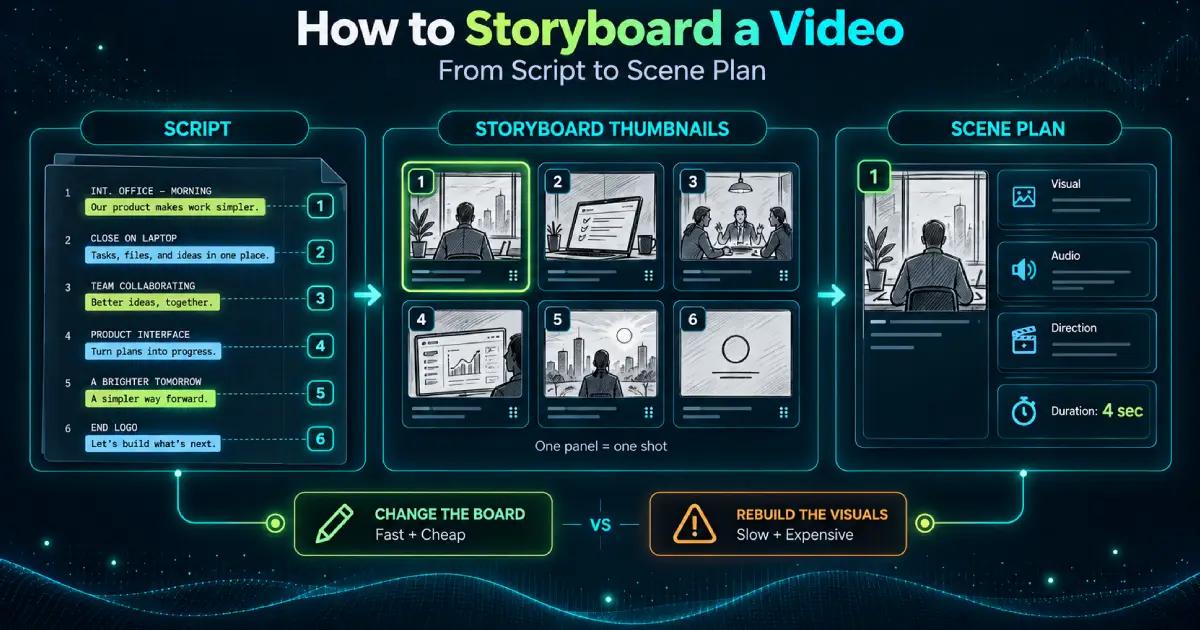
A video storyboard is a shot-by-shot plan of what appears on screen at each moment of a video. Each panel also carries the audio and the direction for that shot.
If you want the short answer on how to storyboard a video, it’s this. Break the script into shots. Sketch each one badly. Write down everything the sketch can’t show.
The long answer matters because the board is the last place a change stays cheap. Move a shot here and it costs a pencil line. Move it after the visuals exist and it costs a rebuild.
What Is a Storyboard For
A script tells you what gets said. A video storyboard tells you what gets seen, in what order, and for how long.
Storyboard panels are the unit. Each one holds a single shot: a rough drawing of the frame, the line that runs over it, and a note on duration.
The storyboarding process hasn’t changed much since animation studios worked it out. The tools have, and the drawing has got easier, but the thinking is the same.
Storyboard thumbnails are the quick version, often six to a page. Use them while you’re still testing the order of shots and don’t want to commit to detail.
Neither has to look good. A board that takes three days to draw has stopped being planning.
Break the Script Into Shots
Building a storyboard from a script starts with marking where the picture changes. Not where the sentence ends. Where the image does.
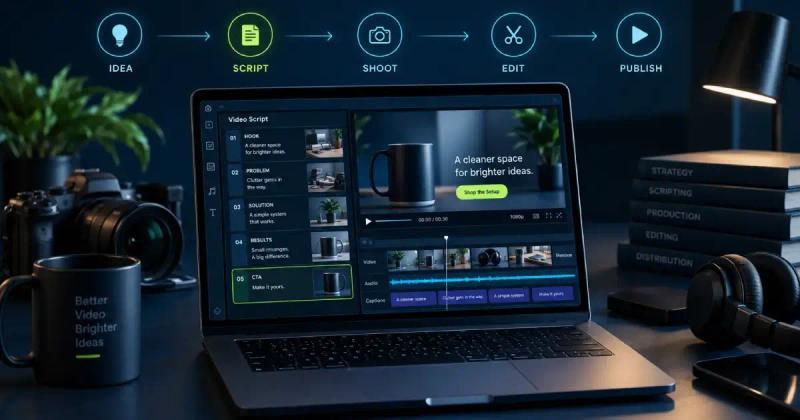
That assumes the script is finished. If yours is still moving, write a production-ready video script before you draw anything, because every panel you make now will change with it.
Read it through and mark every point the viewer should be looking at something new. Those marks are your shots. A 60-second video usually lands between 8 and 12 panels, one per shot rather than one per second. That works out to a new image every five to seven seconds.
Storyboard key scenes first: the opening, the demonstration, the turn in the argument, and the close. If those four hold as drawings, the connective shots between them go quickly.
This is the part of video pre-production planning that decides everything downstream. Most of how to storyboard a video is knowing where to cut the script.
Draw the Panels and Frame the Shot
Storyboard composition and framing is the one place a bad drawing still has to be accurate. What’s in frame, where it sits, and how much room surrounds it.
Stick figures are fine. A box labelled “product” is fine. The edge of the frame is what carries information, because a viewer can only see what’s inside it.
Put the subject where it will actually land. If the logo sits bottom-right in the finished video, it sits bottom-right in the panel. Anything that shifts between the panel and the edit gets decided twice.
Plan the Camera
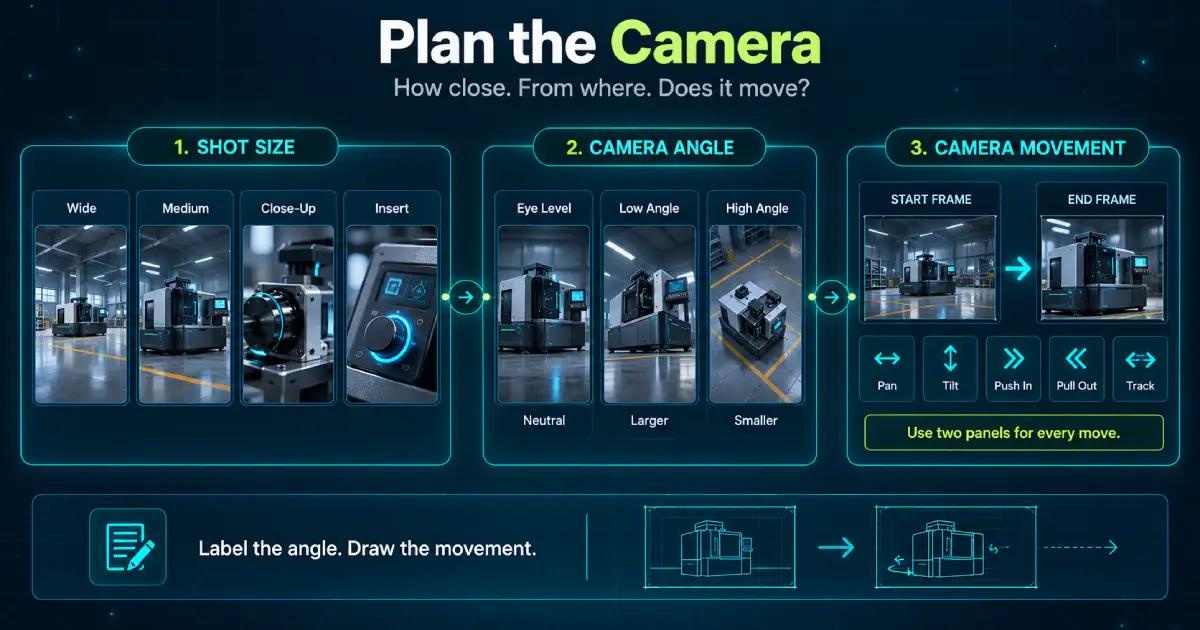
Shot planning comes down to three decisions. How close, from where, and whether anything moves.
Camera shots for storyboards
The camera shots for storyboards worth knowing come down to four.
Wide establishes where you are. Medium carries dialogue. Close-up carries detail or emotion. Insert shows the thing being described.
Most marketing and explainer work runs on medium and insert, cutting to close-up when something earns it.
Camera angles for storyboards
Camera angles for storyboards change how a subject reads. Eye level is neutral. A low angle makes the subject larger. A high angle makes it smaller.
Mark the angle in words on the panel. Drawing accurate perspective is a skill. Writing “low angle, looking up at the machine” takes two seconds.
Camera movement in storyboards
Camera movement in storyboards gets an arrow and a label: pan, tilt, push in, pull out, or track.
Draw the start frame and the end frame as two panels with the arrow between them. One panel can’t show a move, and whoever builds the video will guess at it.
Set the Timing and the Pacing
A storyboard timeline turns panels into seconds. Write a duration on every panel and add them up. If the total misses the runtime you promised, the problem is in the plan.
Storyboard pacing is the rhythm those durations create. Three six-second shots in a row read as slow even when each one is fine on its own. Vary the lengths deliberately, the way you’d vary sentence length.
Storyboard visual flow is what carries the eye across a cut. If the subject sits left of frame in one panel and left of frame in the next, the cut disappears. If it jumps across the frame, the viewer notices the cut instead of the content.
Annotate What the Drawing Can’t Say
Storyboard annotations carry everything a panel can’t: the spoken line, the duration, the shot type, the transition, on-screen text, and any sound cue.
Write them beside the panel rather than underneath in a paragraph. Whoever builds this video will read the annotations far more often than they study the drawing.
The test is simple. Hand the board to someone who wasn’t in the meeting. If they can build the video from it, the annotations are finished.
Review and Revise Storyboard Panels Before Production
Review and revise the storyboard while it’s still paper. This is the cheapest revision round available on the whole project, and it’s the one teams skip to save an hour.
Read it in order, out loud, at the durations written on the panels. Logic gaps show up fast when a board gets read at speed.
Then give it to one person who hasn’t read the script. Any shot that needs explaining is a shot that needs redrawing.
How to Storyboard a Video Without Redrawing It
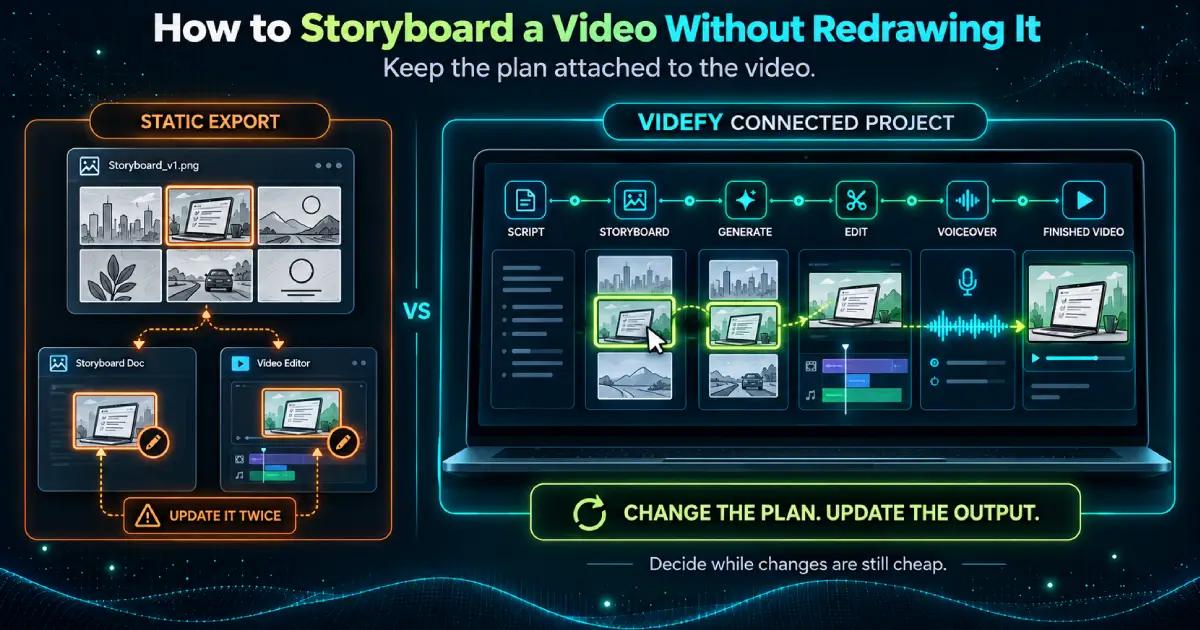
Most guides on how to storyboard a video stop at the export, and so does most storyboard software. You get panels, arrows, and somewhere to type annotations, then you export an image and start the real work in another tool.
That export is where the plan and the video separate. Every change after it has to be made twice, once on the board and once in the build.
Videfy builds the storyboard from your script and keeps it attached to what you generate from it. Plan the scenes, then generate, edit, and voice them in the same project, so changing the plan changes the output. Storyboarding sits inside the longer run covered in the video production process.
From Scene Plan to Finished Video
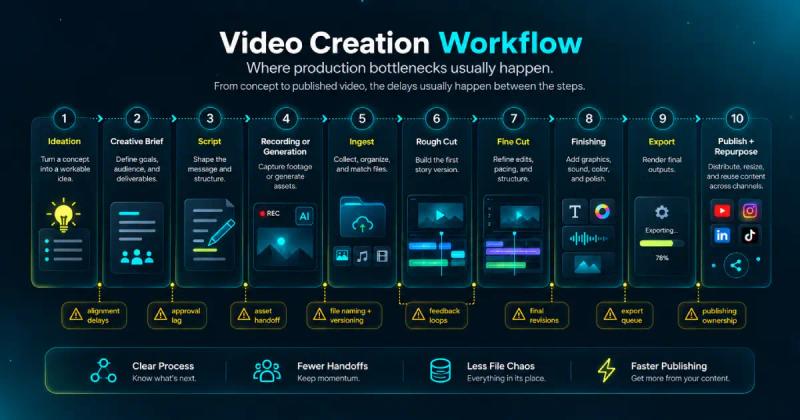
Cut the script into shots, frame each one, add a duration, and write down whatever the drawing leaves out.
The panels are the cheap part. What they buy you is every decision made while it still costs nothing to change one.
That’s how to storyboard a video. Start your first project and turn a script into a scene plan you can build from, panel by panel.
Frequently Asked Questions
How do you storyboard a video from a script?
To learn how to storyboard a video, divide the script wherever the visual changes, then create one panel for each shot. Add the spoken line, framing, camera direction, on-screen text, and estimated duration. Review the sequence from beginning to end before generating footage or moving into detailed editing.
What information should a storyboard panel include?
A useful panel should identify the visual, shot size, camera angle, movement, dialogue or voiceover, on-screen text, sound cues, transition, and duration. It should give the production team enough direction to build the scene without requiring a separate explanation, while leaving room for creative decisions during production.
Do you need drawing skills to create a storyboard?
No. Clear communication matters more than polished artwork. Stick figures, labeled boxes, screenshots, or rough reference images are enough when they show composition and action accurately. When learning how to storyboard a video, spend your time clarifying the scene, timing, and production notes instead of perfecting each sketch.
How do you show camera movement and timing in a storyboard?
Write the duration on each panel and use labeled arrows to show pans, tilts, push-ins, pull-outs, or subject movement. For a moving camera, include separate start and end frames. Read the full board against the planned runtime to find scenes that feel rushed, slow, or visually repetitive.
How does Videfy connect storyboarding with video production?
Videfy places storyboarding inside a connected video production workspace. Teams can move from a script and scene plan to asset generation, video creation, editing, voiceover, captions, and export without transferring the project among separate production tools. This connection reduces repetitive setup and keeps important production decisions easier to follow.
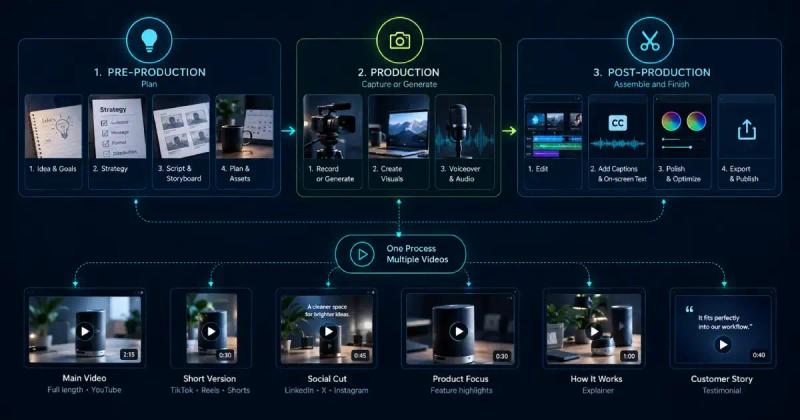
How should you storyboard a video that will have multiple versions?
When deciding how to storyboard a video for several versions, separate the elements that remain fixed from those likely to change, such as the opening hook, product shot, language, format, or call to action. Videfy can then create variations for different audiences and platforms and prepare them for external A/B testing.
Learn with Videfy
Discover tutorials, AI best practices, feature updates, and creative inspiration to level up your video production.