How to Write a Video Script That Is Ready for Production
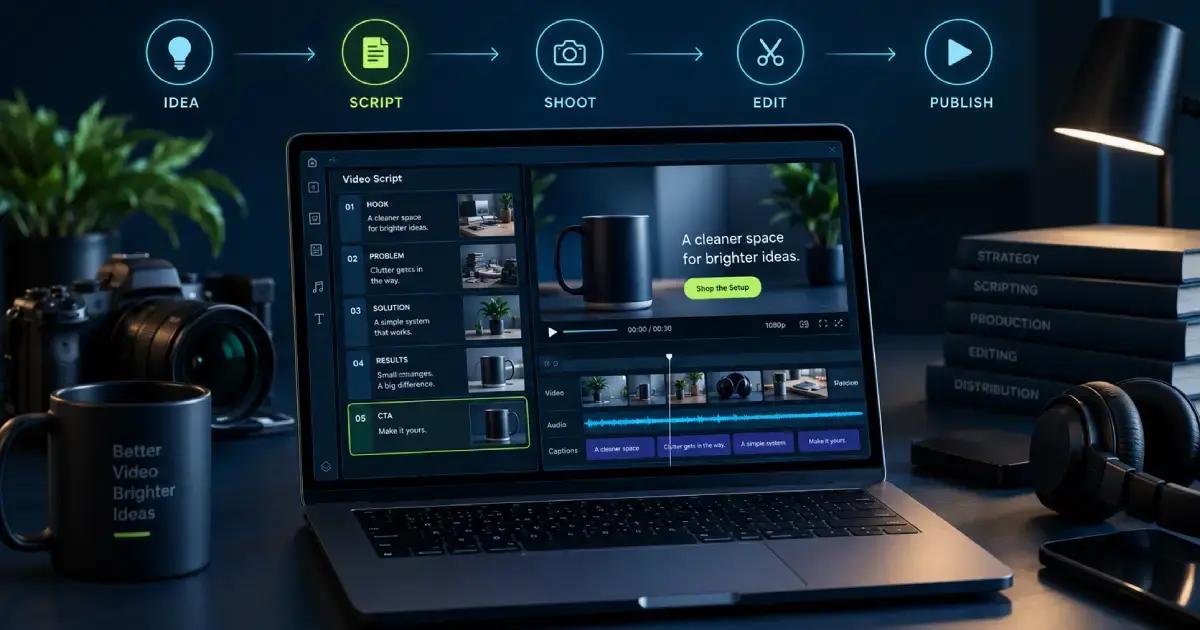
Learn how to write a video script with the right format, hook, structure, visual cues, pacing, and CTA, plus a practical template you can copy.
How to Write a Video Script (From Idea to Production)
Most videos die in one of two places.
Either you skip the script, hit record, and spend four hours in the edit rescuing a ramble. Or you go the other way: three days comparing templates and never filming anything.
There’s a version of this that takes about forty minutes.
A video script is a written plan for what viewers see and hear across every second of your video: dialogue, visual direction, on-screen text, and order.
Get it right and the shoot is straightforward and the edit is short. This guide explains how to write a video script, from choosing the right format and opening hook to structuring the body and ending with a specific call to action. There’s a working template at the bottom. No email required.
What a Video Script Has to Cover
A script holds more than dialogue. It holds your visual direction, your on-screen text, and the order things happen in. Write the words and nothing else and you’ve written a monologue. Then you invent the visuals while the light changes.
Scripts aren’t only for big productions with crews and budgets. A 30-second product clip needs one as badly as a 20-minute documentary does. You have 30 seconds and no room to wander.
Start With What the Video Needs to Do
Before you write a line, get these down where you can see them.
Who’s watching. Not "small business owners." More like: a solo founder who’s tried two video tools already and doesn’t want a third.
Where it’s going. A YouTube viewer chose you. A TikTok viewer got interrupted. That difference rewrites your first five seconds.
What changes after they watch. Book a call. Understand a feature. Click the link.
One goal per video. The moment you catch yourself typing "and also," you’ve found your second video.
Choose Your Script Format
Pick by what you’re making, not by what looks most legitimate on the page.
| Format | Best for | Structure |
|---|---|---|
| Two-column AV script | Tutorials, explainers, product demos | Left column: visuals. Right column: audio and dialogue |
| Linear / bulleted script | TikTok, Reels, Shorts, talking-head | Talking points in order with [bracketed visual cues] |
| Screenplay format | Narrative ads, sketches, anything with actors | Sluglines, action lines, centered dialogue |
Two-column is the default whenever the visuals do real work. Explainer videos live here, because half the meaning sits on screen while you talk. Editors like it because they read one column and ignore the other.
Linear is for short form. Nobody storyboards a 45-second Reel. You write what you’re saying, top to bottom, with cues in brackets wherever the visual changes.
Screenplay format is for actors and scenes. If nobody’s playing a character, skip it. It’s the format writers reach for when they want the document to feel official, which costs a day and buys nothing.
Write the Hook First (5 to 15 Seconds Decides Everything)
Write your opening before anything else. If you can’t make ten seconds interesting, the other fifty won’t save you.
Four openers that hold up:
- A bold claim you then defend
- The problem, said in the viewer’s own words
- A contradiction ("The best light I own cost twelve dollars")
- A gap you promise to close ("Nobody tells you what happens after you hit publish")
What doesn’t hold up: "Hey guys, welcome back to the channel." Logo animations. Explaining what you’re about to explain.
Weak: "Hi everyone, today we’re talking about how to write a video script and why scripting is so important for your content."
Strong: "You don’t need a better camera. You need to stop filming without a plan."
Same topic. One of them earns the next ten seconds.
Structure the Body Around One Idea
Two structures cover almost everything you’ll make.
Problem, solution, payoff works for anything persuasive. Name the pain so it stings slightly, show the fix, then show what the week looks like afterward.
A numbered walkthrough works for anything instructional. Steps in order, with a visible finish line so people know how much is left.
Either way, carry one idea all the way through. Five insights in one video means the viewer keeps none of them.
Momentum comes from specifics. "It saved me six hours" beats "it’s efficient," every time.
Write for the Ear, Not the Eye
Written English and spoken English are different languages. Your script has to survive being said out loud by a person with lungs.
Use contractions. Every time. "You will not need" is nobody’s speech.
Keep sentences short. If you run out of breath reading a line, the line is too long.
Read the whole thing out loud before you call it finished. This is the only test that counts. You’ll catch the tongue twisters and the sentence you wrote to sound clever.
Time yourself while you read. VirtualSpeech puts conversational speech at 120 to 150 words per minute, presentations at 100 to 150. The National Center for Voice and Speech puts average US conversation around 150. Plan at 130 and a 60-second video comes to about 130 words. It’s shorter than a page.
Pair every block of dialogue with a visual cue. Any line without one becomes eight seconds of a face talking, and you’ll notice it in the edit when it’s too late to fix.
End With One Specific Action
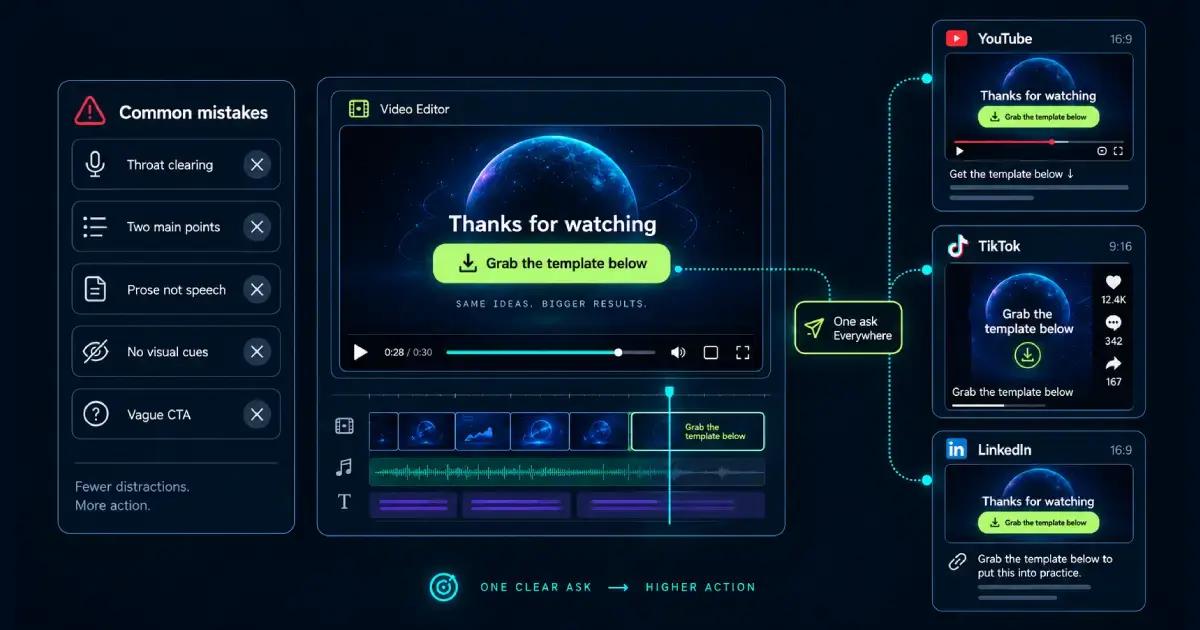
"Check out our site" isn’t a call to action. It’s a shrug.
Give them the exact next move and where it lives. "Grab the template linked below." "The full breakdown is in the pinned comment."
Match the ask to the platform. YouTube carries a longer close with a link and a reason to click it. TikTok gets one spoken line before the cut. On LinkedIn the ask does better in the caption than in the audio.
And make it one ask. A link, a subscribe, and a newsletter signup at the end is three requests, so people do none.
Common mistakes that kill video scripts
- Throat clearing. Logos and "before we get started" spend attention you got for free.
- Two main points. The second weakens the first. Cut it and make it its own video.
- Prose instead of speech. If it reads like a blog post, it sounds like one being read aloud.
- No visual cues. Dialogue alone pushes every visual decision into the edit, where it costs most.
- A CTA nobody can act on. Vague asks get vague results.
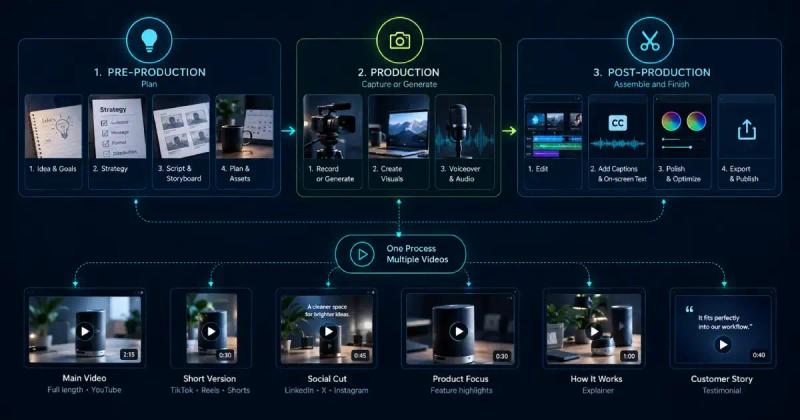
From Script to Video
Here’s the part nobody warns you about.
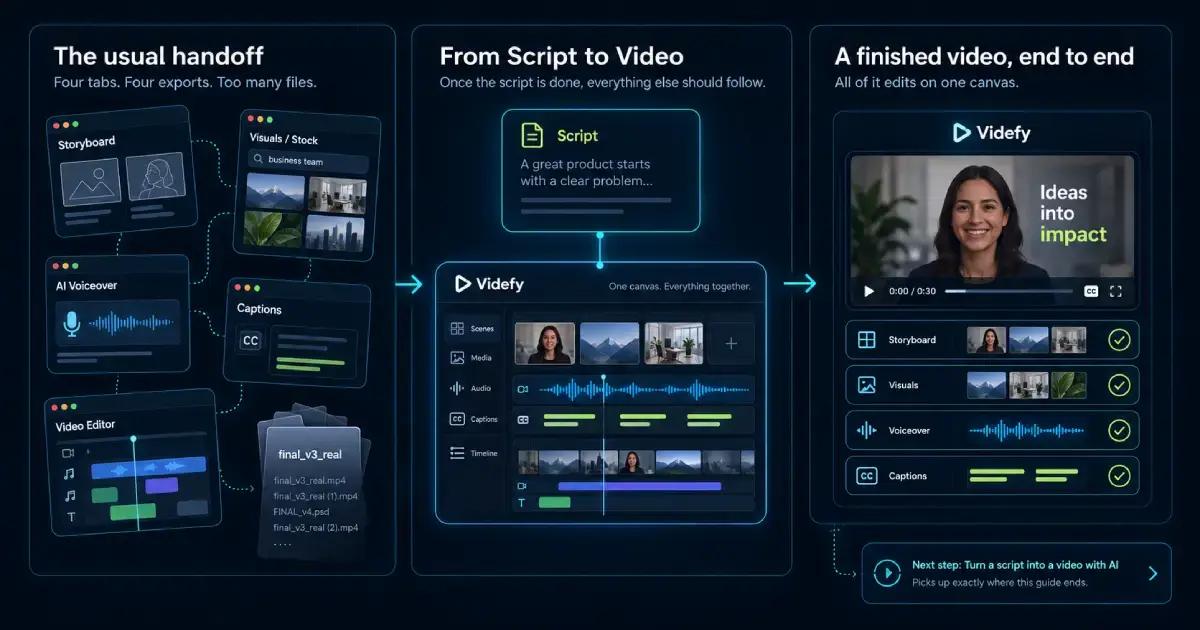
The script is done. Now you need a storyboard, visuals, a voiceover, captions, and an edit. For most people that’s a stock library, an AI voice tool, an editor, and something to burn in captions. Four tabs, four exports, and a folder of files named final_v3_real.
More projects die here than at the blank page.
This is the handoff Videfy is built for. Once your script is done, Videfy generates the storyboard, visuals, voiceover, and captions from it. All of it edits on one canvas. If you’re already this far, our guide on turning a script into a video with AI picks up exactly where this one ends.
Video Script Template
A two-column AV video script template with timecodes, filled in with a 30-second sample.
| Time | Visual | Audio |
|---|---|---|
| 0:00-0:05 | Close-up of a loaf tearing open, steam coming off it | "Most sourdough fails in the first ten minutes, not the last." |
| 0:05-0:12 | Hands folding dough on a cold counter | "Your starter’s fine. Your kitchen’s too cold, so the dough never gets going." |
| 0:12-0:22 | Time-lapse of a covered bowl under the oven light, dough doubling | "Put the bowl in the oven with just the light on. That’s about 78 degrees, and it doubles in four hours." |
| 0:22-0:30 | Sliced loaf on a board. Text on screen: Full recipe below | "Full recipe’s below. Try it on this weekend’s loaf and tell me how it goes." |
That’s 60 words of audio for 30 seconds, which works out to 120 words per minute. Comfortable. If your read feels rushed, cut a line instead of speeding up.
Blank version to copy:
| Time | Visual | Audio |
|---|---|---|
| 0:00 | [Hook visual] | [Hook line] |
| 0:0_ | [Supporting visual] | [Problem] |
| 0:_ _ | [Demonstration] | [Solution] |
| end | [CTA card] | [One ask] |
Video Script FAQs
How long should a video script be?
Work backwards from runtime at roughly 130 words per minute. A 60-second video is about 130 words, a five-minute video about 650. Write long first and cut, since trimming beats padding.
Do you need a full script, or is an outline enough?
It depends on how much the wording matters. Ads, explainers, and anything under 90 seconds should be scripted word for word. Interviews and long tutorials run better on a bulleted outline.
What’s the difference between a two-column script and a linear script?
A two-column script splits visuals and audio into parallel columns, so the editor reads one side and the voice talent the other. A linear script is one column of talking points with visual cues in brackets. Two-column suits visual-heavy work, linear suits short form.
How do you write a script for a TikTok or Reel?
Use linear format, put the hook in the first two seconds, and hold one idea for the whole clip. Budget about 65 words for 30 seconds and read it aloud before filming. Assume no context: the viewer didn’t choose you, they got interrupted by you.
What’s the best video script format for YouTube?
Two-column for tutorials, reviews, and explainers where you’re cutting between footage and screen recordings. Linear for vlogs and commentary where you’re on camera throughout. Pick on how many visual changes there are, not on length.
Learn with Videfy
Discover tutorials, AI best practices, feature updates, and creative inspiration to level up your video production.