Video Creation Workflow: Where the Bottlenecks Are
The complete video creation workflow from idea to publish, plus the six handoffs where most of your schedule disappears and what to fix at each one.
Video Creation Workflow and Where Production Bottlenecks Happen
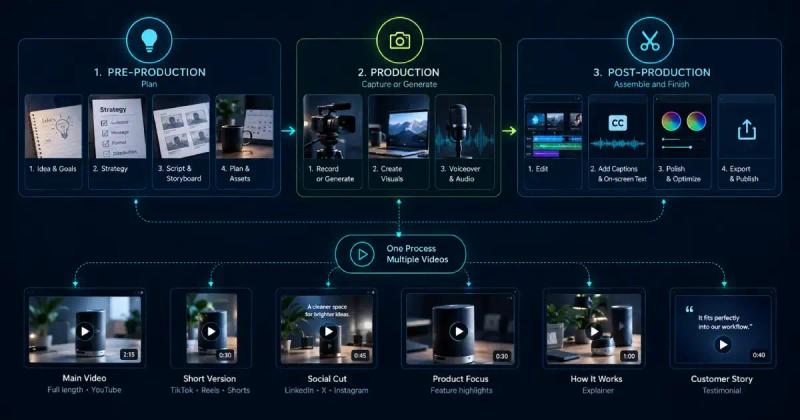
A video creation workflow is the connected set of steps that carries one idea from concept through recording, editing, and export to a published video. Every team has one. Most are held together by file names and memory.
What sits between the steps is the expensive part. Every file has to be found, renamed, moved, and matched back to whatever it belongs to.
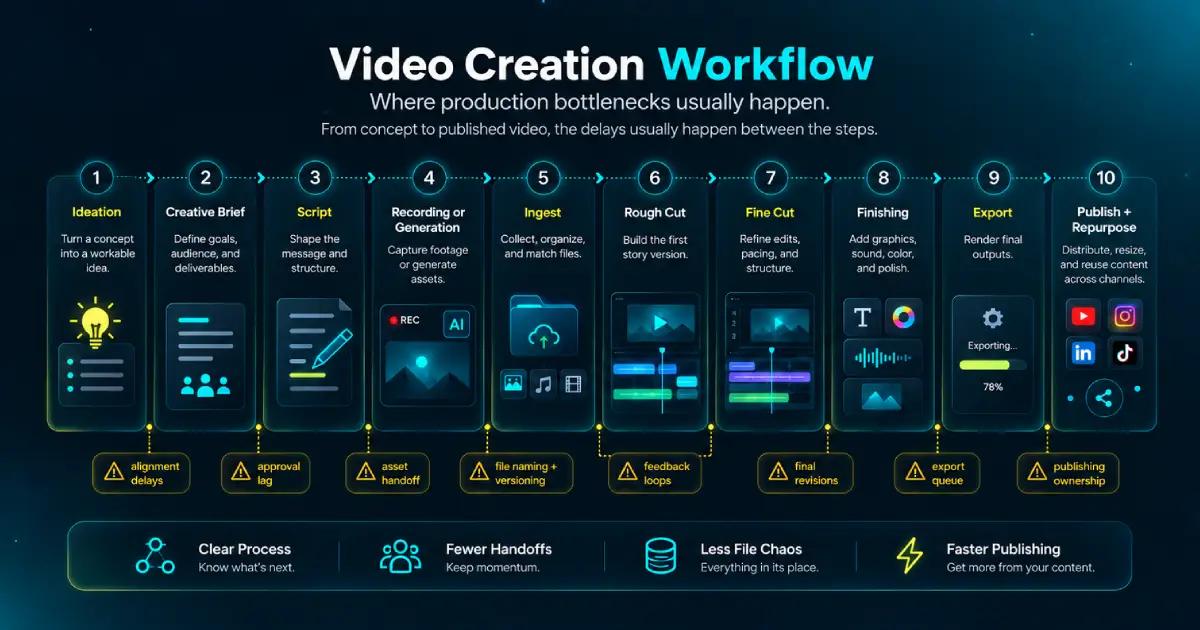
The sequence below runs in order, with a note at each point where the schedule tends to go.
The Full Sequence, Start to Finish
A complete video content creation process runs through nine stages: ideation, creative brief, script, recording or generation, ingest, rough cut, fine cut, finishing, and export.
Publishing and repurposing come after that, and most teams treat them as someone else’s job. They belong to the same run.
People say video production workflow and video creation workflow to mean roughly the same thing, so the steps below cover both.
Knowing the order is the easy half. The rest of this covers what happens between the stages, which is where the schedule usually goes.
The Work That Happens Before Recording
Pre-production decides how much rework the rest of the video creation workflow will need. An hour spent here saves several after the shoot.
Video ideation and concept development
Video ideation is the cheap part. Most teams have more ideas than capacity, so video concept development is the filter.
Pick the idea with one thing to say and a reason to say it on this platform. If a concept needs two videos to land, make two.
The creative brief
A video creative brief locks the audience, the platform, the runtime, the message, and the ask onto a single page. Write it first, while changing your mind is still free.
Its real job is arbitration. When round three of the feedback contradicts round one, the brief is the only thing in the room with any authority.
Scriptwriting
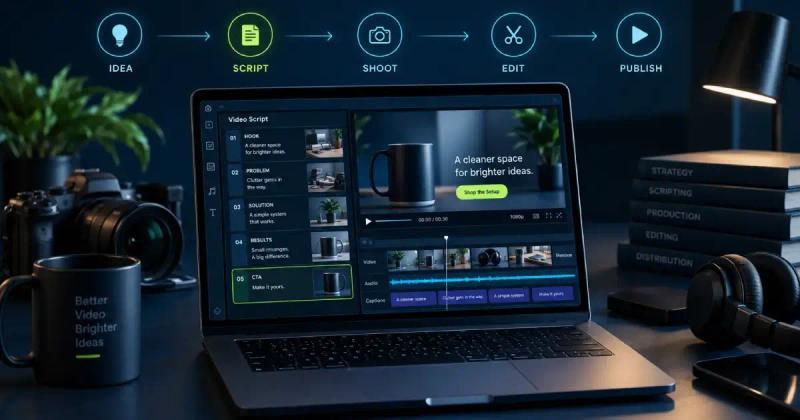
Video scriptwriting converts the brief into spoken language and visual direction, sitting side by side on the page. A line that reads well but sounds stiff out loud has failed.
A tight video pre-production workflow ends when the script stops moving. Every stage after this one prices its changes off that document.
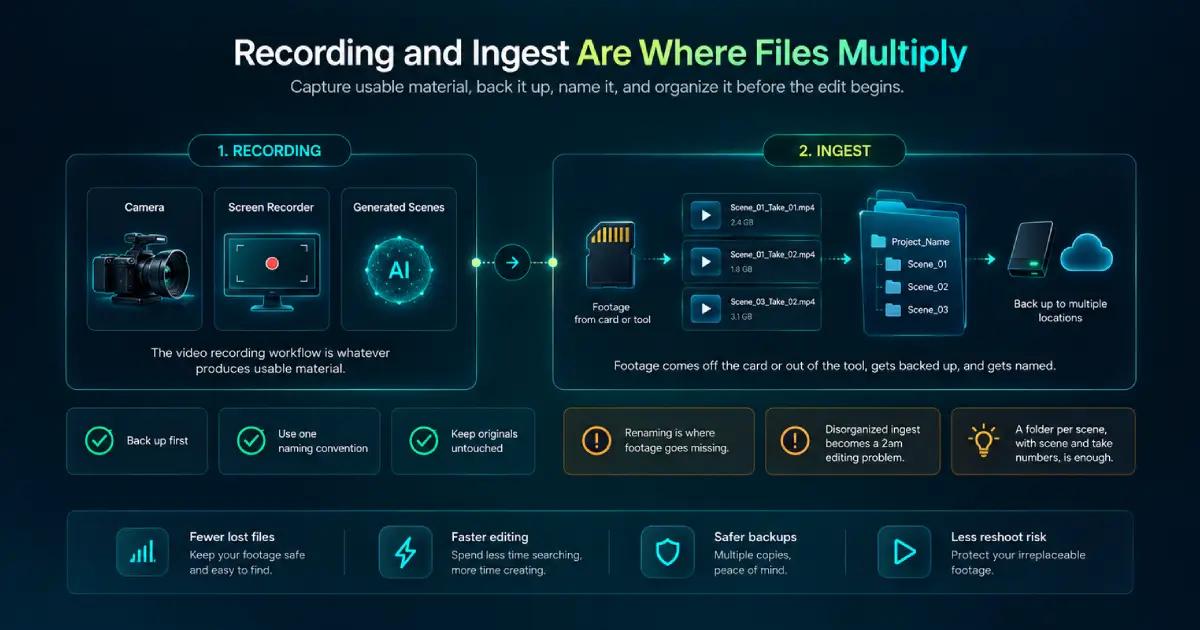
Recording and Ingest Are Where Files Multiply
The video recording workflow is whatever produces usable material. A camera, a screen recorder, or generated scenes described in plain language.
Video ingest is the step straight after. Footage comes off the card or out of the tool, gets backed up, and gets named.
Organize video footage at ingest or you’ll be doing it at 2am mid-edit. A folder per scene, and file names carrying scene and take numbers, is enough. Which convention you pick matters far less than having one.
Back up before you rename anything, and leave the originals untouched. Renaming is where footage goes missing, and a second copy costs less than a reshoot.
Editing: Rough Cut, Fine Cut, Finishing
A video editing workflow runs in three passes. Collapsing them into one is why edits sprawl.
The rough cut is structure. Everything in order, nothing polished, timing approximate. You’re answering one question: does the story hold?
The fine cut is pacing. Trim the dead air, fix the transitions, land the cuts where they should land. Structural changes stop here.
Video finishing is everything after picture lock: color, audio mix, captions, graphics, titles. Start finishing before the edit is locked and you’ll do it twice.
Review, Export, and Publish
Video review and approval is the stage teams budget for least and lose most to. The failure is rarely the feedback itself. It’s that three versions are in circulation and the newest one isn’t the one being watched.
Give every cut a version number and a single home. Notes that arrive anywhere else get pasted there before they count.
Settle who signs off before you send anything out. Approval by committee turns a two-day review into a two-week one, and nobody involved will think it was their fault.
Video export and delivery is the last technical step, and it comes in plural more often than people plan for. One locked cut can owe you a 16:9, a 9:16, a square, and a version with captions burned in.
A video publishing workflow covers what happens next: thumbnails, titles, descriptions, caption files, and scheduling. Budget time for it.
Where the Video Creation Workflow Breaks Down
Count the tool boundaries in that sequence and you’ll find six handoffs.
Brief to script, script to camera or generator, card to storage, storage to editor, editor to audio and captions, and finishing to export.
Each crossing is a file leaving one tool and entering another. What doesn’t cross with it is the reasoning: why that take, why that order, why that line got cut.
So the bottleneck isn’t any single step. It’s the distance between them, and that distance grows every time something early changes.
Move one line of the script after the voiceover is recorded, and the audio, the captions, and the export all get redone by hand. The decision took a minute. The rebuild took the afternoon.
Videfy removes the crossings by holding the whole run in one project: script, storyboard, asset and video generation, editing, voiceover, subtitles, and export. We made the wider case for working this way in create once and publish everywhere.
Repurposing: The Step Most Workflows Leave Out
A video repurposing workflow is where the economics change. One finished video becomes a vertical cut, a subtitled version, a different hook, a second language.
Rebuild each of those from the top and you pay the full production cost four times. Treat them as variations of one project and you pay it once.
Videfy turns a finished video or template into multiple versions for different audiences, languages, platforms, and formats, then prepares them for external A/B testing. From there you run the test, read the numbers, and spend against whatever won.
That’s the chain worth designing for: idea, video, variations, test, winners, scale.
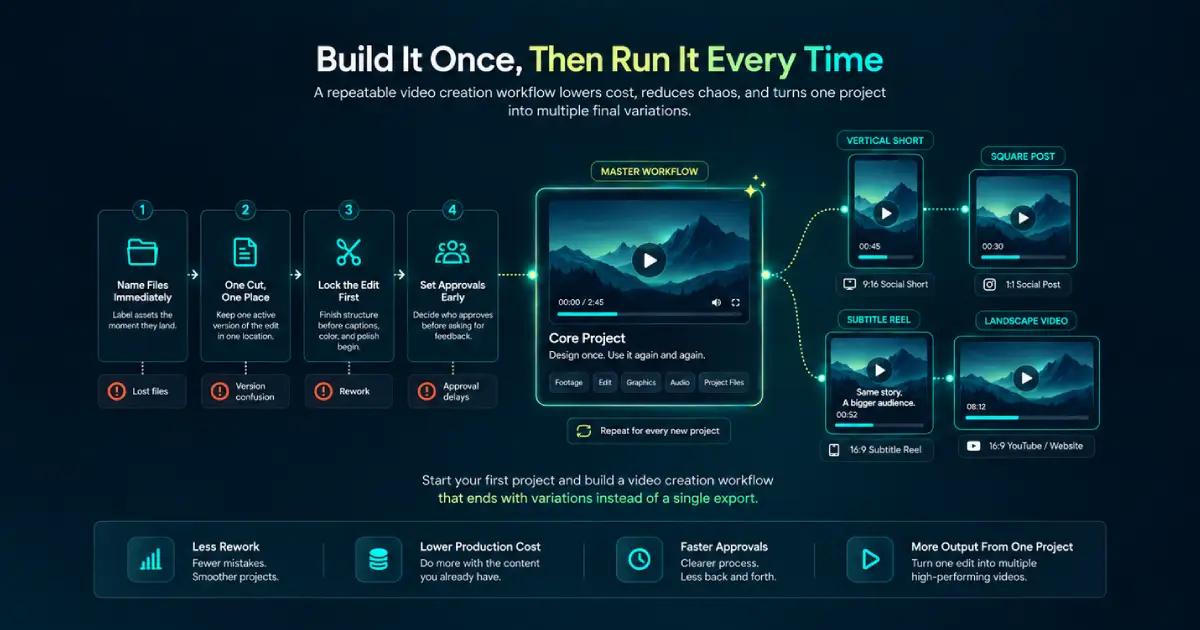
Build It Once, Then Run It Every Time
A video workflow from idea to final video is worth designing properly once, then running the same way every time after that.
Four habits carry most of the benefit. Name files the moment they land. Keep one version of the cut in one place. Lock the edit before finishing starts.
The fourth is settling who approves before you ask anyone for notes. Do all four and the second video costs less than the first, which is the only honest test of whether a process works.
Start your first project and build a video creation workflow that ends with variations instead of a single export.
Frequently Asked Questions
What are the main stages of a video creation workflow?
A typical video creation workflow includes ideation, briefing, scripting, recording or generation, file ingest, editing, review, finishing, export, and publishing. Some teams also include repurposing as a formal stage. Platforms such as Videfy bring several of these steps into one project, reducing the number of separate tools involved.
Where do video production bottlenecks usually happen?
Bottlenecks often appear during handoffs between tools, people, and production stages. Files need to be transferred, renamed, reviewed, and matched with the right notes or versions. Delays also build when approvals arrive late, feedback conflicts, or script changes force completed audio, captions, or edits to be redone.
How can teams make video production more efficient?
Start by defining the brief, script, naming conventions, storage location, and approval process before production begins. Keep one current version of each cut and organize assets as soon as they are created. A consistent video creation workflow reduces unnecessary searching, repeated edits, and last-minute changes that affect several downstream tasks.
Why should the script be finalized before recording?
Late script changes affect more than the spoken words. Updating one line after recording may require a new voiceover, revised timing, updated captions, and another export. Finalizing the script early gives editors a stable foundation and prevents a small creative decision from triggering several rounds of avoidable production work.
How does repurposing fit into the video creation workflow?
Repurposing works best when it is planned as part of the video creation workflow rather than treated as a separate project. Videfy lets teams turn an approved video into variations for different formats, platforms, audiences, and languages. Working from shared assets saves production time while keeping the core message consistent across versions.
Learn with Videfy
Discover tutorials, AI best practices, feature updates, and creative inspiration to level up your video production.