


Video CreationPlatform forMarketing Teams
Turn one campaign concept, video, or template into finished variations for different audiences, channels, languages, and external tests. Videfy is a video creation platform for marketing teams that connects planning, production, editing, localization, and export. You retain control over the message and creative while using repeatable workflows to prepare campaign-ready deliverables.

From Idea to Finished Video
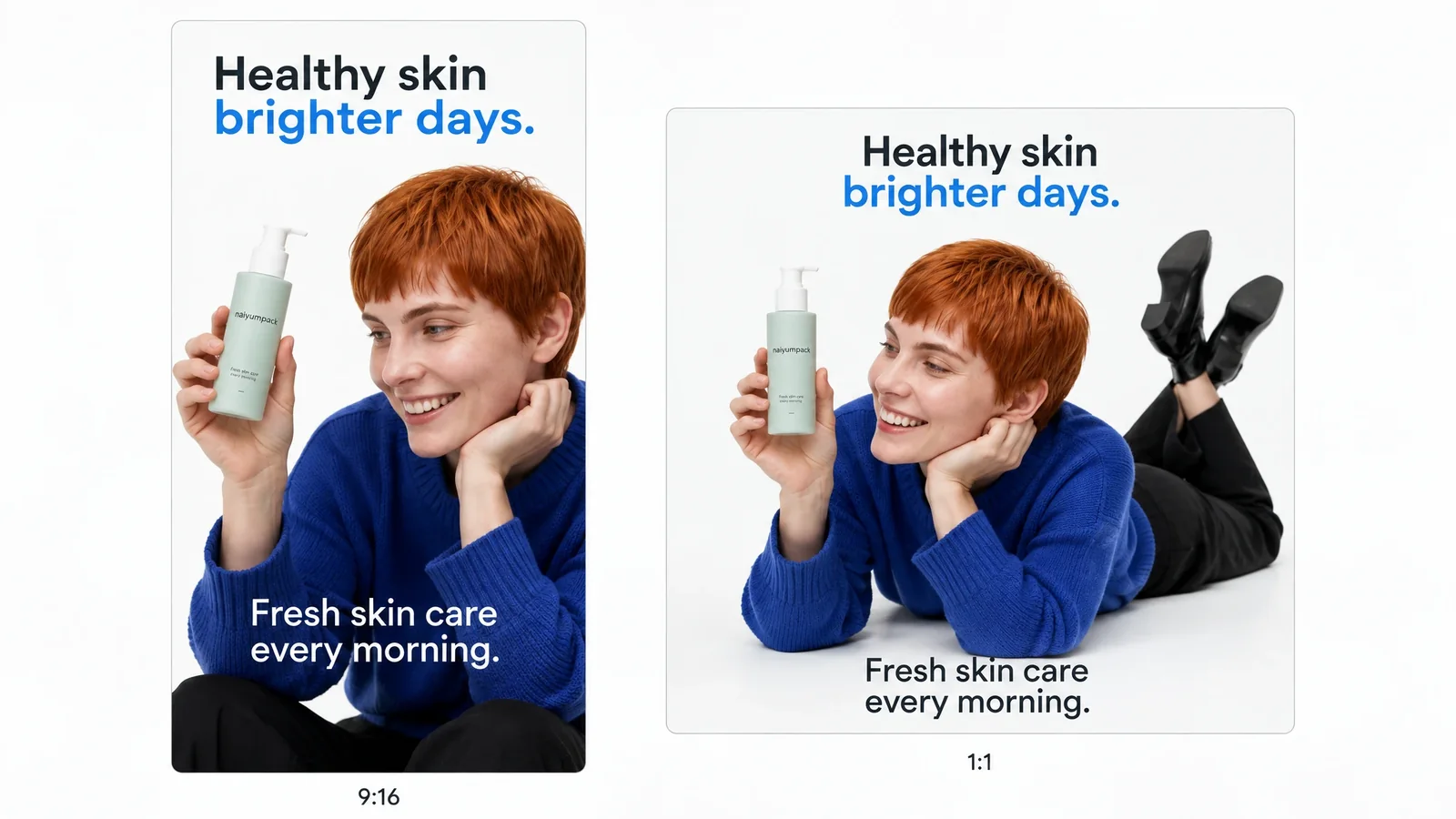
A marketing team begins with a product launch concept and builds the primary video. From that project, it prepares a vertical social cut, a square version, a localized variation, and an alternative opening for testing. The marketing video creation platform keeps the script, scenes, audio, captions, and formats connected as each deliverable takes shape.
What Marketing Teams Can Create With Videfy
Plan the Campaign Message
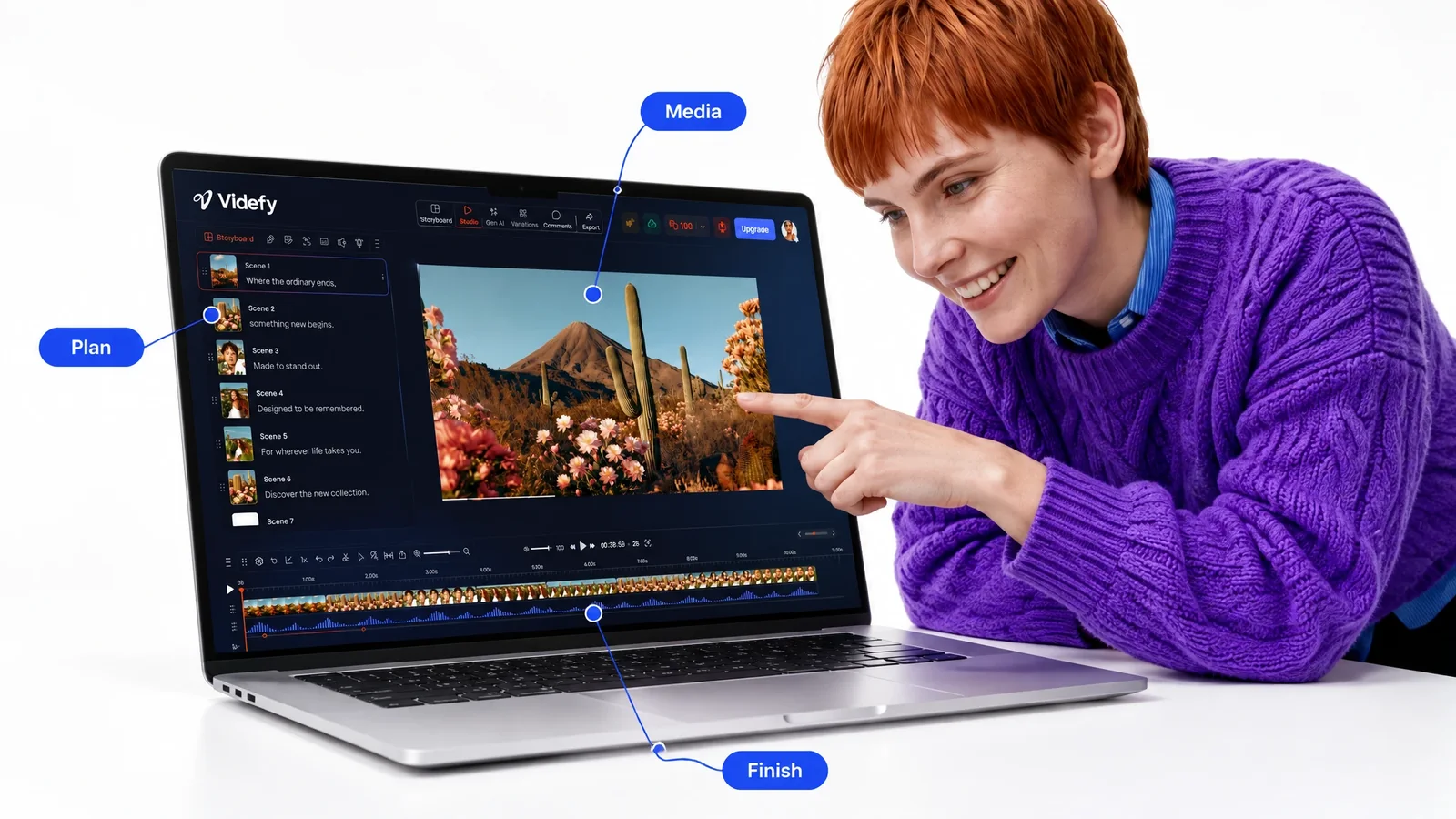
Turn a campaign idea or prompt into a structured script, or refine messaging you already have. Use a storyboard to organize the video scene by scene before production begins. This creates a defined sequence for the message, visuals, and supporting assets.
As video creation software for marketing teams, the platform connects these planning decisions to the production stages that follow. The script and storyboard become working parts of the project rather than files separated from the final creative.
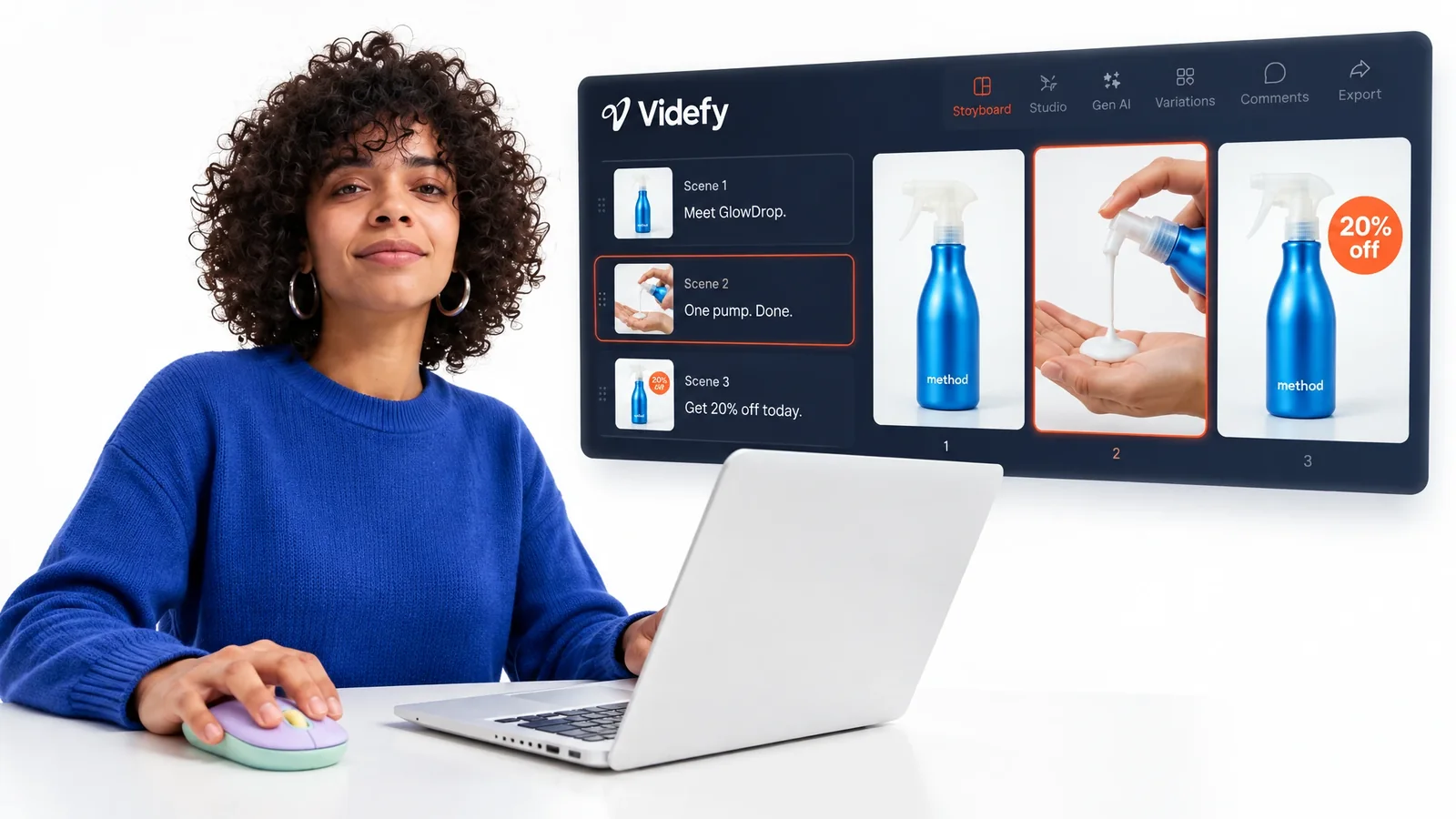
Create the Primary Video
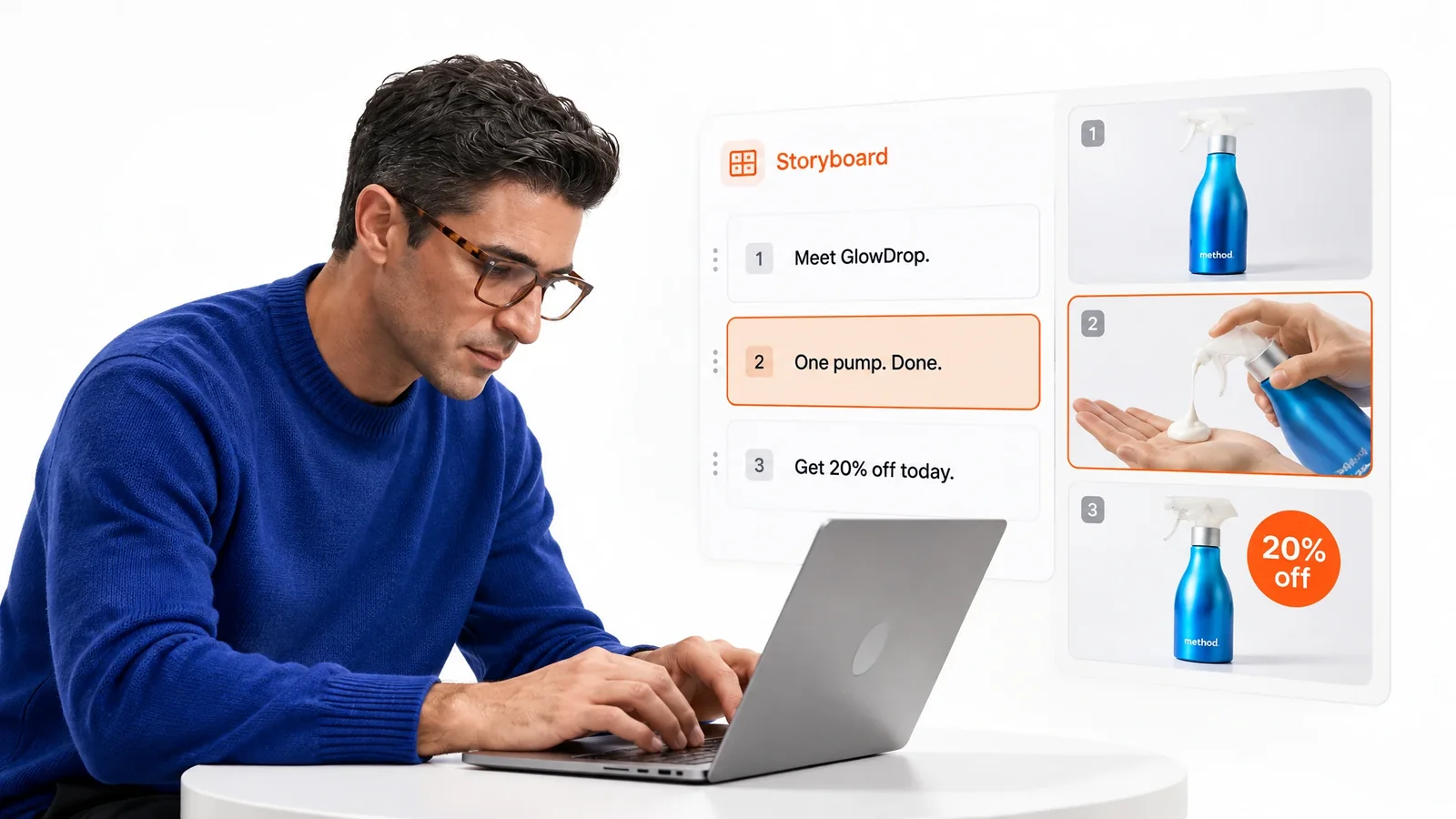
Start from a template or existing footage, or generate images, clips, characters, assets, and scenes by describing what you want. Image editing lets you replace objects, change backgrounds, and improve individual assets. AI remains one capability inside the wider process, not the entire product. An AI video creation platform for marketing teams still needs to support refinement and delivery after generation.
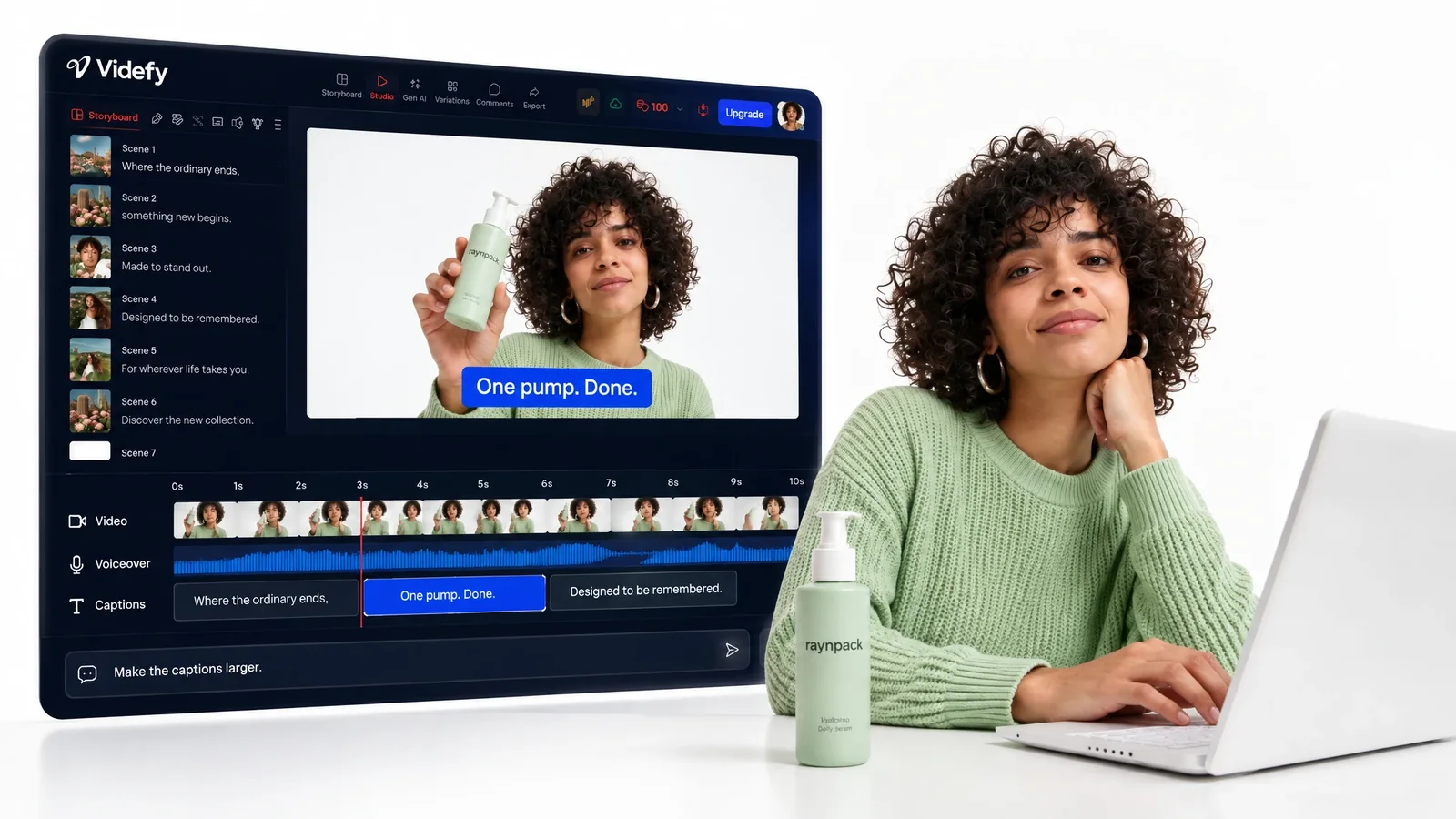
Edit and Finish the Creative
Describe changes in plain language with Lyra, or edit clips, timing, transitions, effects, text, and other elements on the professional timeline. Add controlled movement with keyframes and animation. Create voiceovers, clean and mix audio, then generate, time, and style captions for the intended channel.
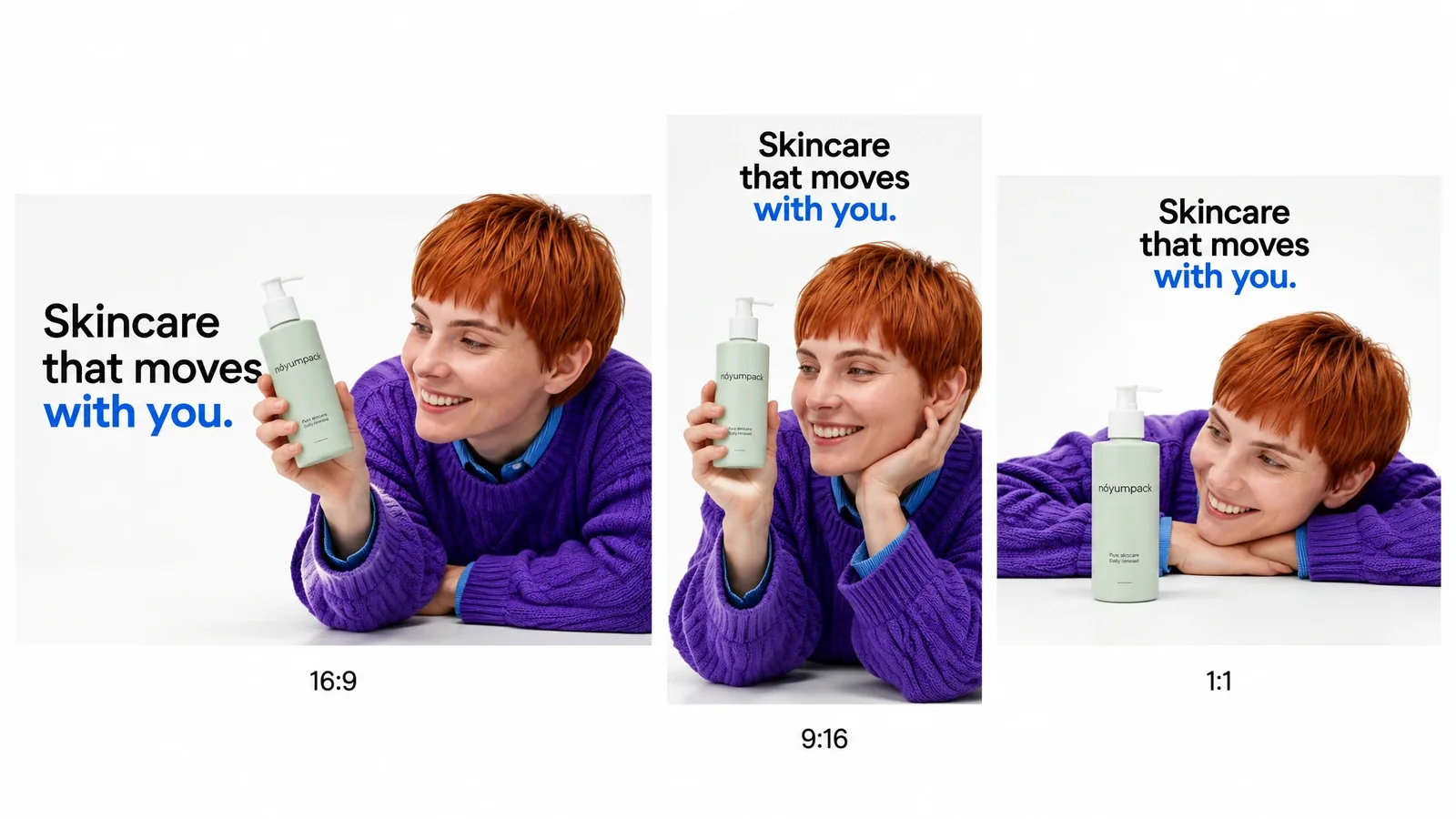
Adapt and Export Campaign Versions
Translate voice and captions, change messages or assets, and prepare variations for different audiences, offers, languages, platforms, formats, and creative tests. Render and export each completed version in the required dimensions. This turns Videfy into a marketing video production platform for both the main creative and its related deliverables.
From Campaign Briefto Finished Deliverables
Idea → Script → Storyboard → Asset Generation → Video Generation → Editing → Voiceover/Audio → Subtitles → Render/Export
- Idea

- Script
- Storyboard
- Asset Generation
- Video Generation
- Editing
- Voiceover/Audio
- Subtitles
- Render/Export
The campaign input shapes the script. The storyboard defines the scenes and required assets. Generation or uploaded footage supplies the visual material, while editing gives the video its structure, pacing, text, and motion. Audio and captions finish the message before rendering and export.
Within this all-in-one video production workspace, variations extend the completed creative into different campaign requirements. External testing comes afterward. Videfy produces and prepares the files, it does not run the test or evaluate campaign performance.
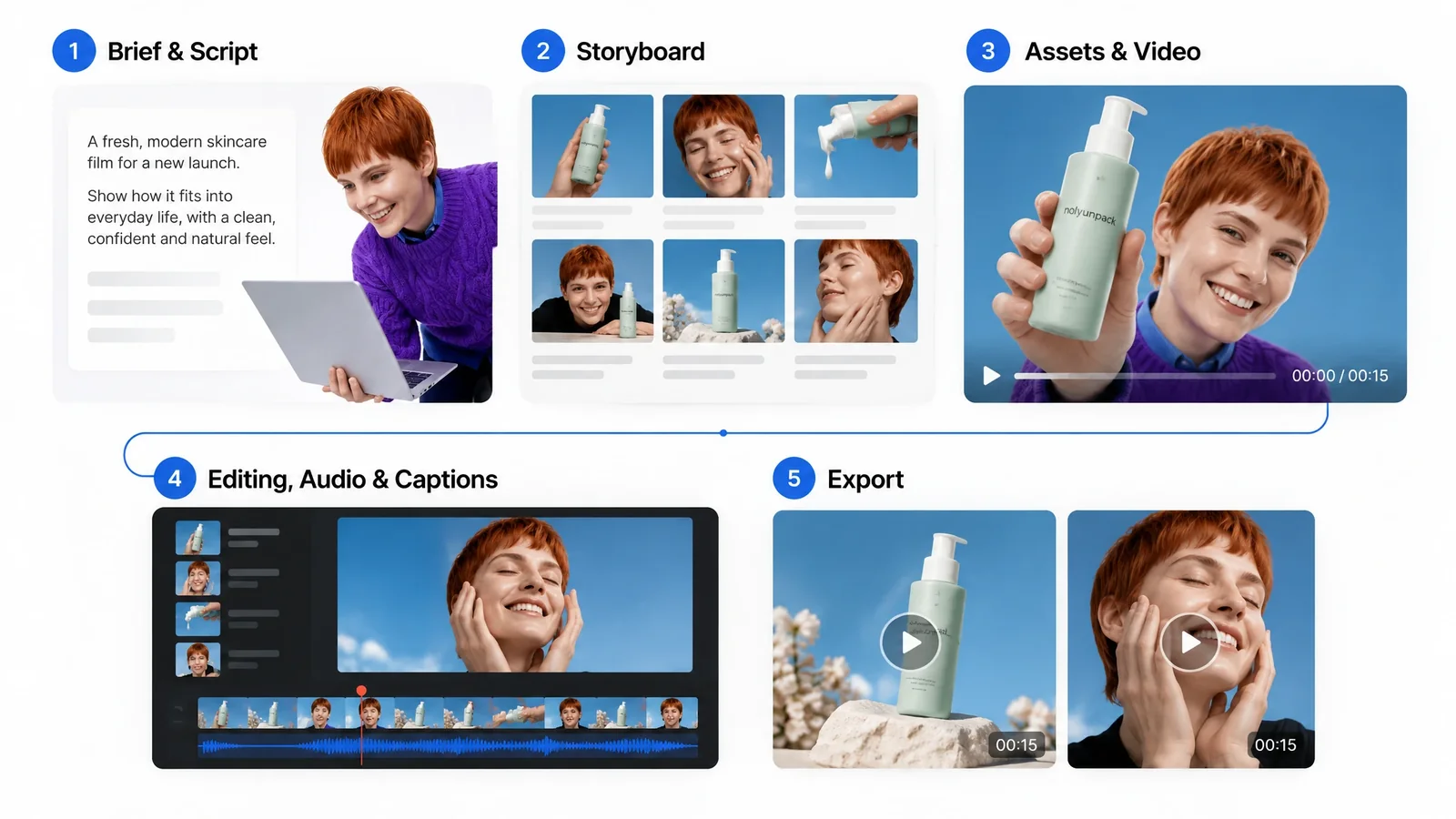
How It Works
Start With the Campaign Input
Begin with an idea, prompt, script, template, or existing footage. Define the primary message and the type of video the campaign requires.
Plan the Message and Scenes
Refine the script and organize the storyboard around the campaign sequence. Identify which scenes use uploaded media and which require generated assets.
Create and Edit the Primary Version
Use the platform to generate or upload visual elements, arrange the scenes, and refine the timeline. Adjust timing, transitions, effects, text, animation, narration, audio, and captions until the main version is ready.
Render and Export
Render the completed versions in the formats and dimensions required for publication, campaign delivery, or external testing. You finish with separate deliverables built from one connected production process.
Control the Main Creativeand Every Variation
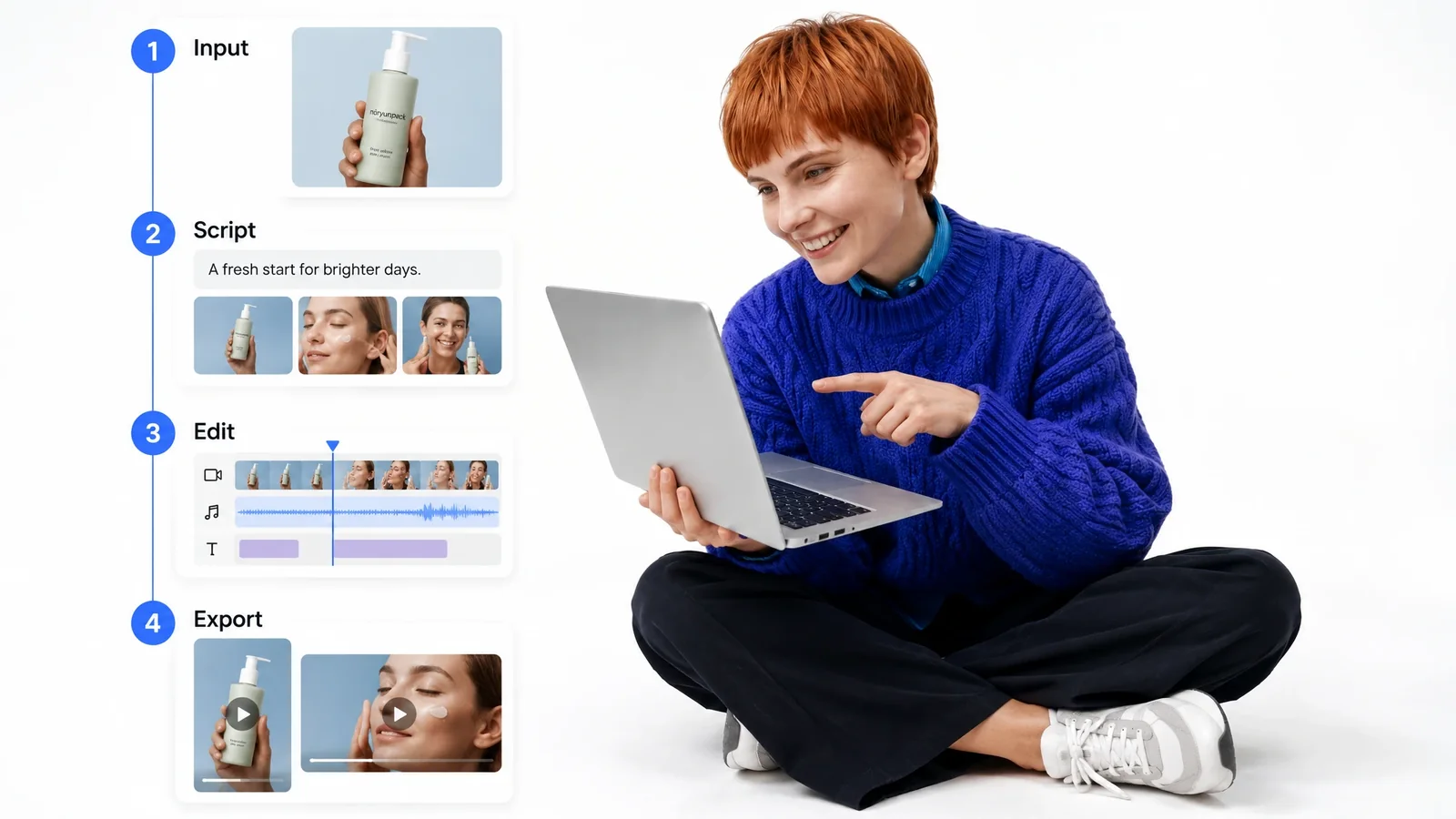
You decide what stays consistent and what changes between versions. Revise the script, reorder scenes, replace a generated image, change an object or background, and refine clip timing on the timeline. Text, transitions, effects, movement, voiceover, audio, captions, language, dimensions, and formats remain adjustable throughout production.
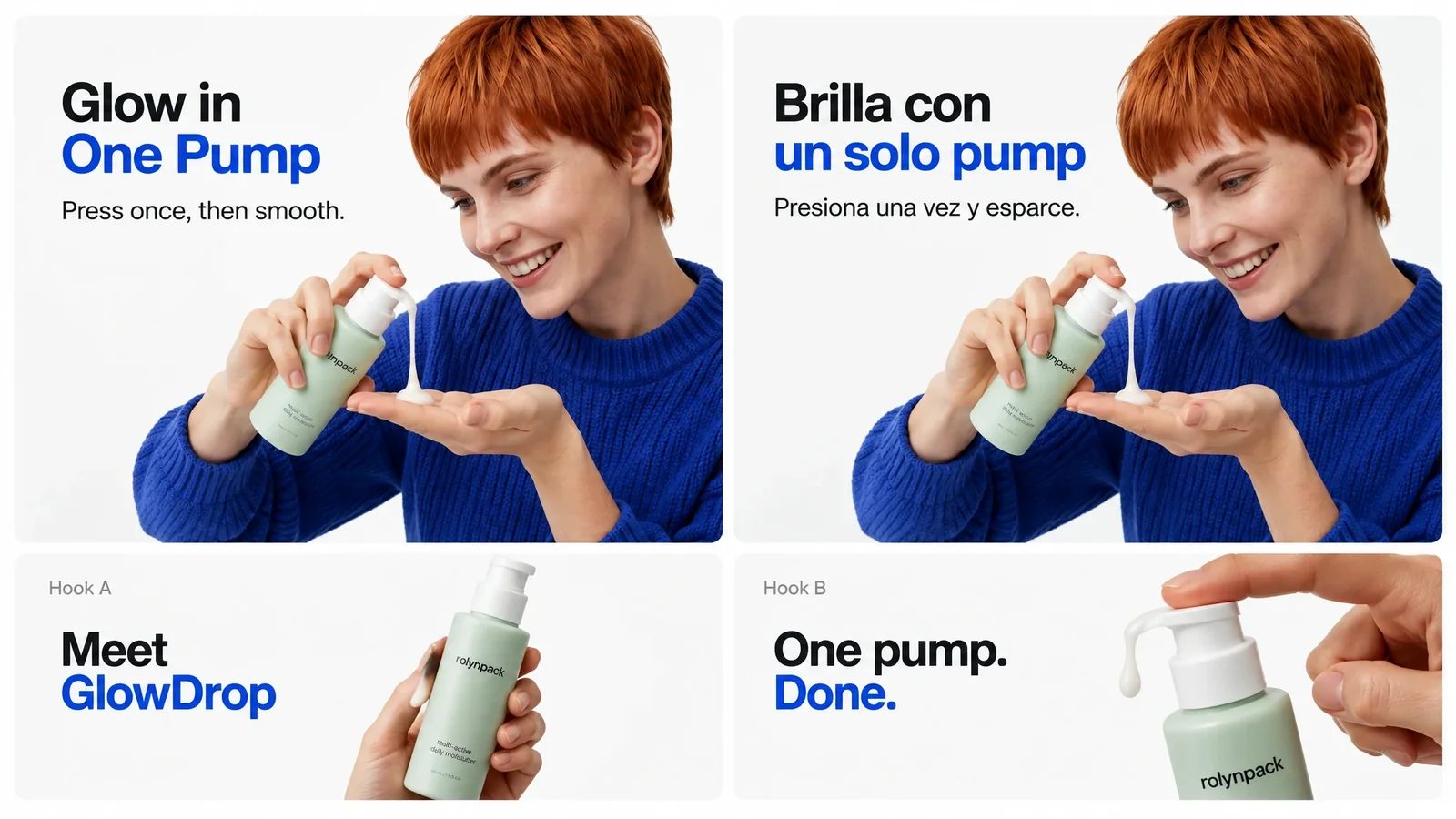
That control lets a campaign keep its core creative direction while adapting selected elements for specific requirements. A localized version can retain the same scenes but use translated voice and captions. An audience-specific variation can change the hook, offer, or visual asset without forcing you to rebuild the full video.
The platform supports production decisions and execution. Your marketing team retains control over the audience, strategy, creative direction, and final approval of every variation.
Different Campaign Requirements,Related Outputs
Paid and Organic Social Content
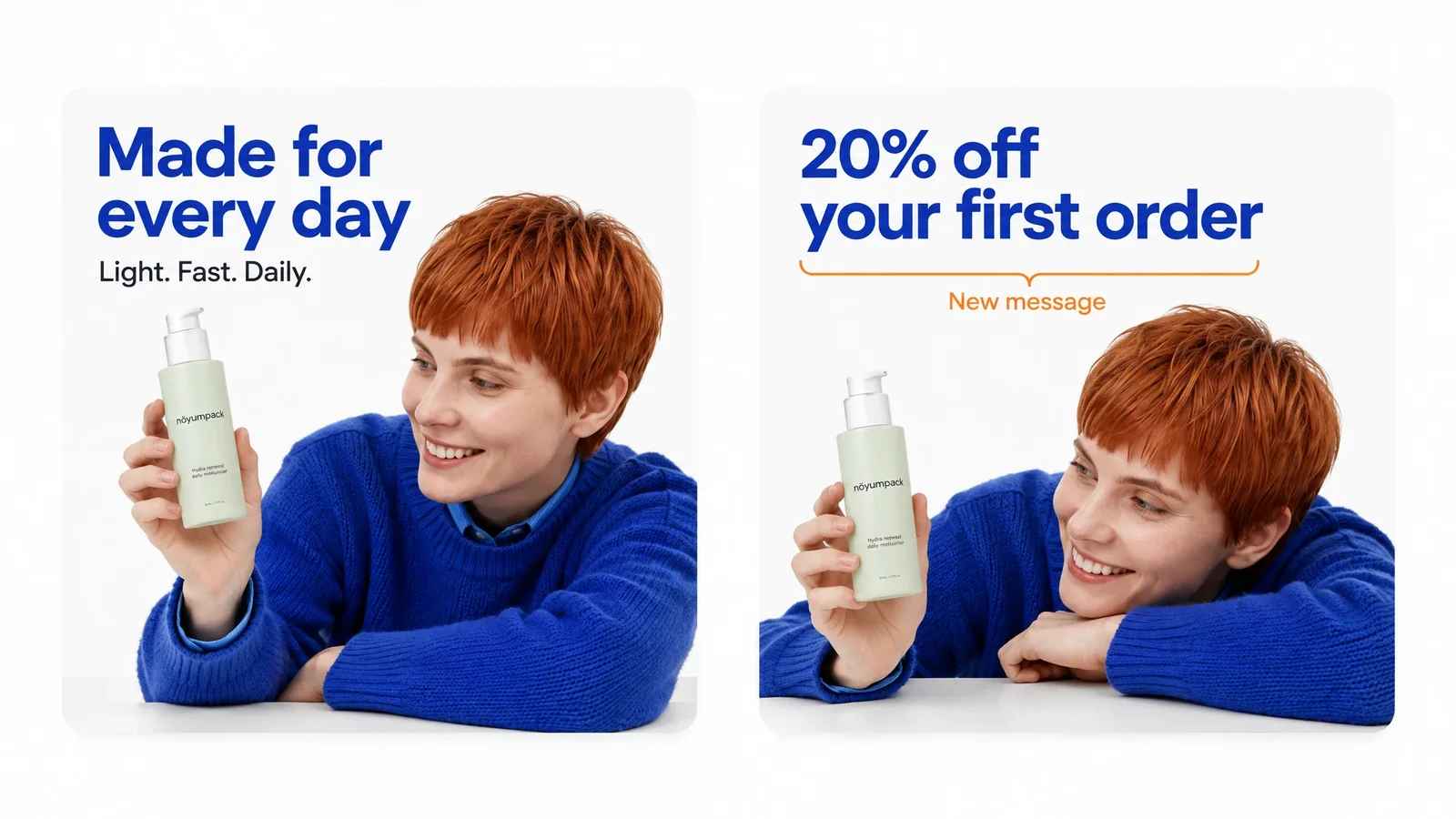
Adapt one campaign video into vertical, square, or other channel-specific social content. Adjust the opening, duration, text, captions, and dimensions to fit each destination without treating every cut as an unrelated project.
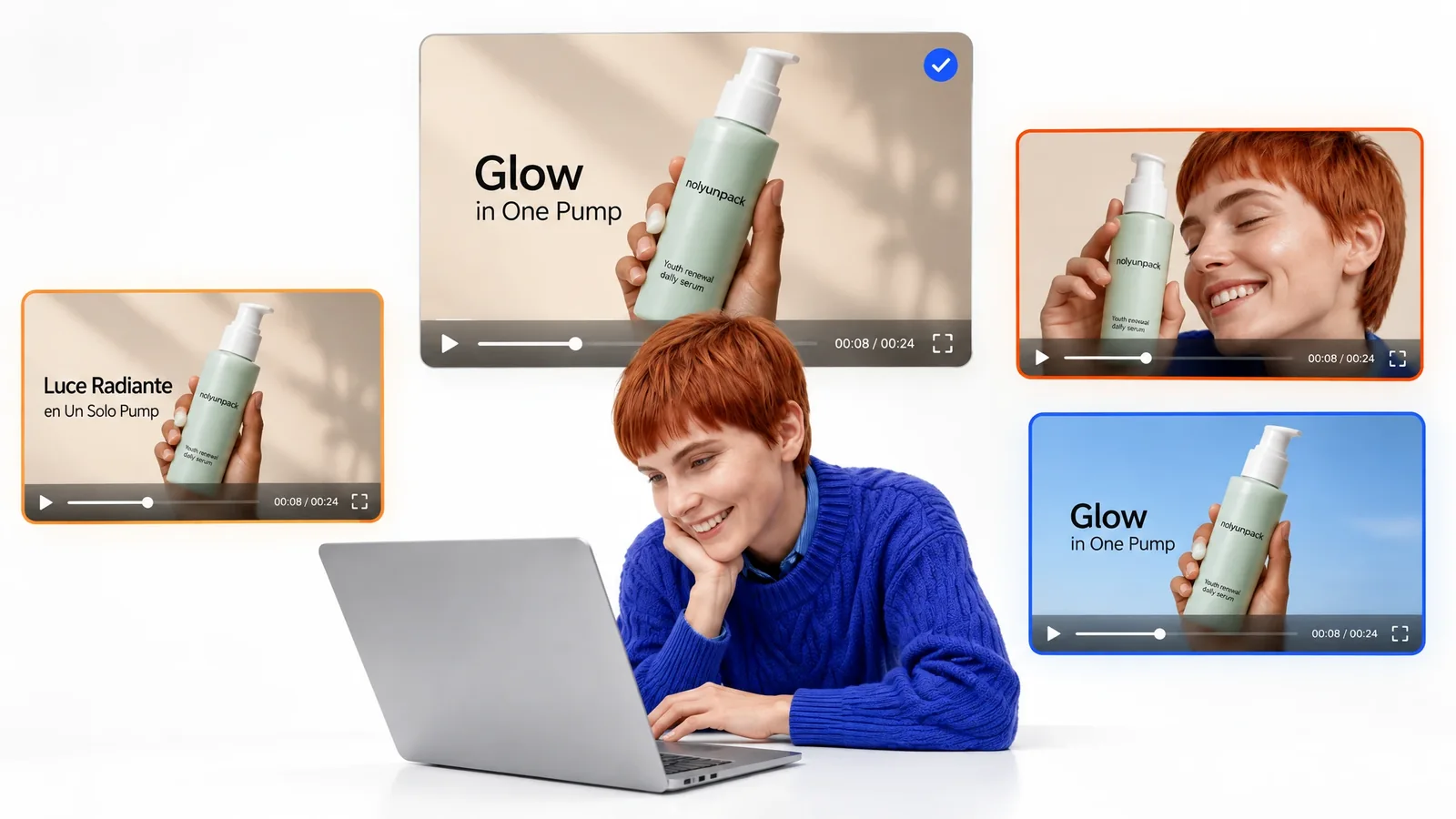
Audience and Offer Variations
Create videos for different audience segments by changing the message, opening scene, offer, visual assets, or voiceover. You control which elements vary and which remain consistent across the campaign.
Product Videos and Tutorials
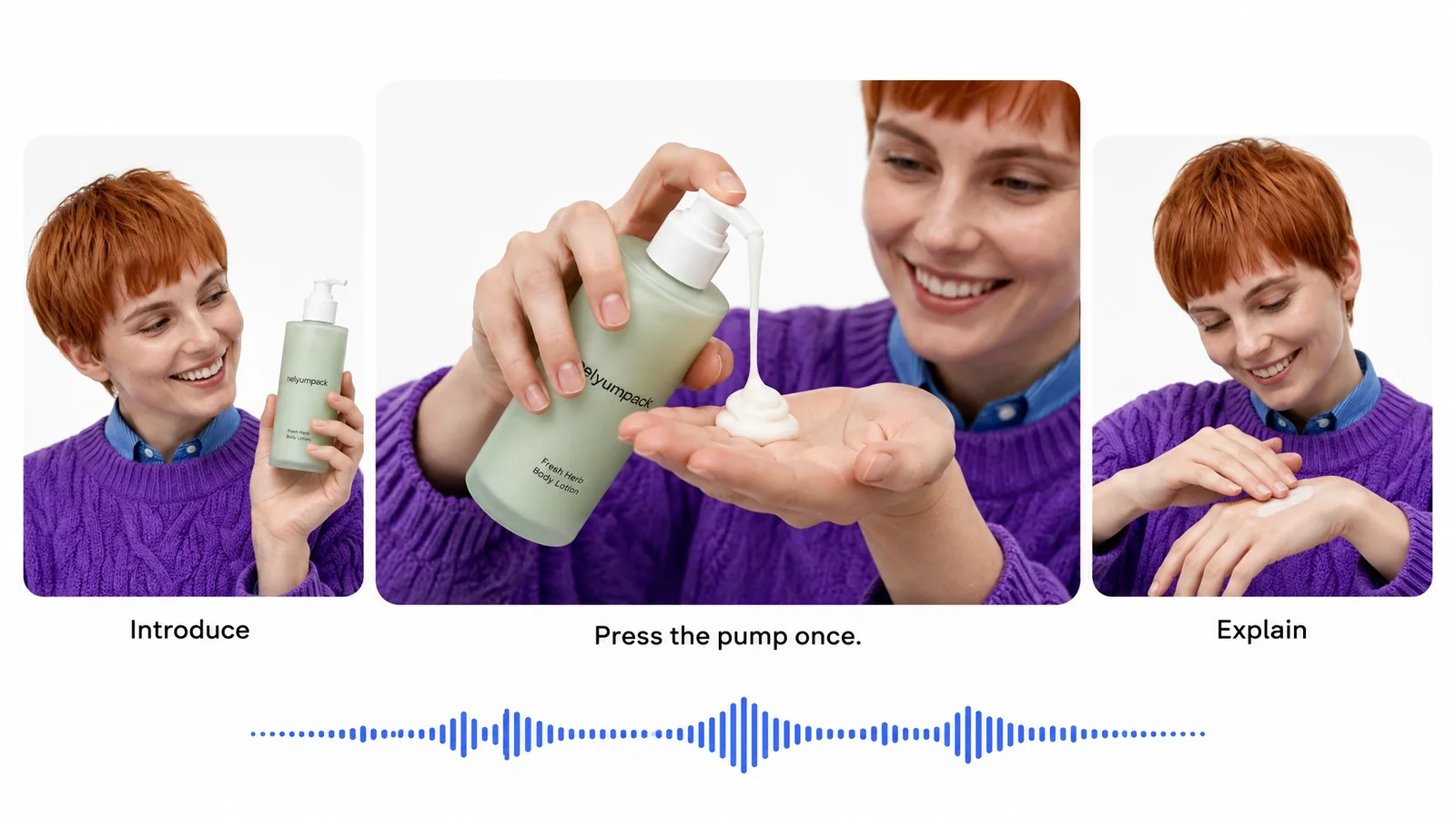
Use a script and storyboard to structure the explanation, combine generated assets with existing footage, and add narration, animation, and captions. Return to the original project when product details or campaign requirements change.
Localized Content and Creative Testing
Translate voiceovers and captions for different languages, then adjust on-screen text and assets for each version. You can also create video variations for testing by changing hooks, scenes, messages, lengths, or formats. Videfy prepares the creative, external systems provide the performance data.
Keep the Marketing Production WorkflowConnected in One Platform
A connected video creation workflow keeps the campaign brief, script, storyboard, assets, timeline, audio, captions, variations, and exports within the same production context. This reduces switching between tools, transferring files, and recreating work when you need another deliverable.
The operational benefit grows as campaign requirements expand. Instead of rebuilding each output from the beginning, you can return to the primary project, change selected elements, and finish another version. Repeatable workflows help scale marketing video production while preserving access to the creative decisions behind every file.
When requirements change, revise the original project and continue through editing, localization, rendering, and export in the same platform.
Why Marketing Teams Use Videfy
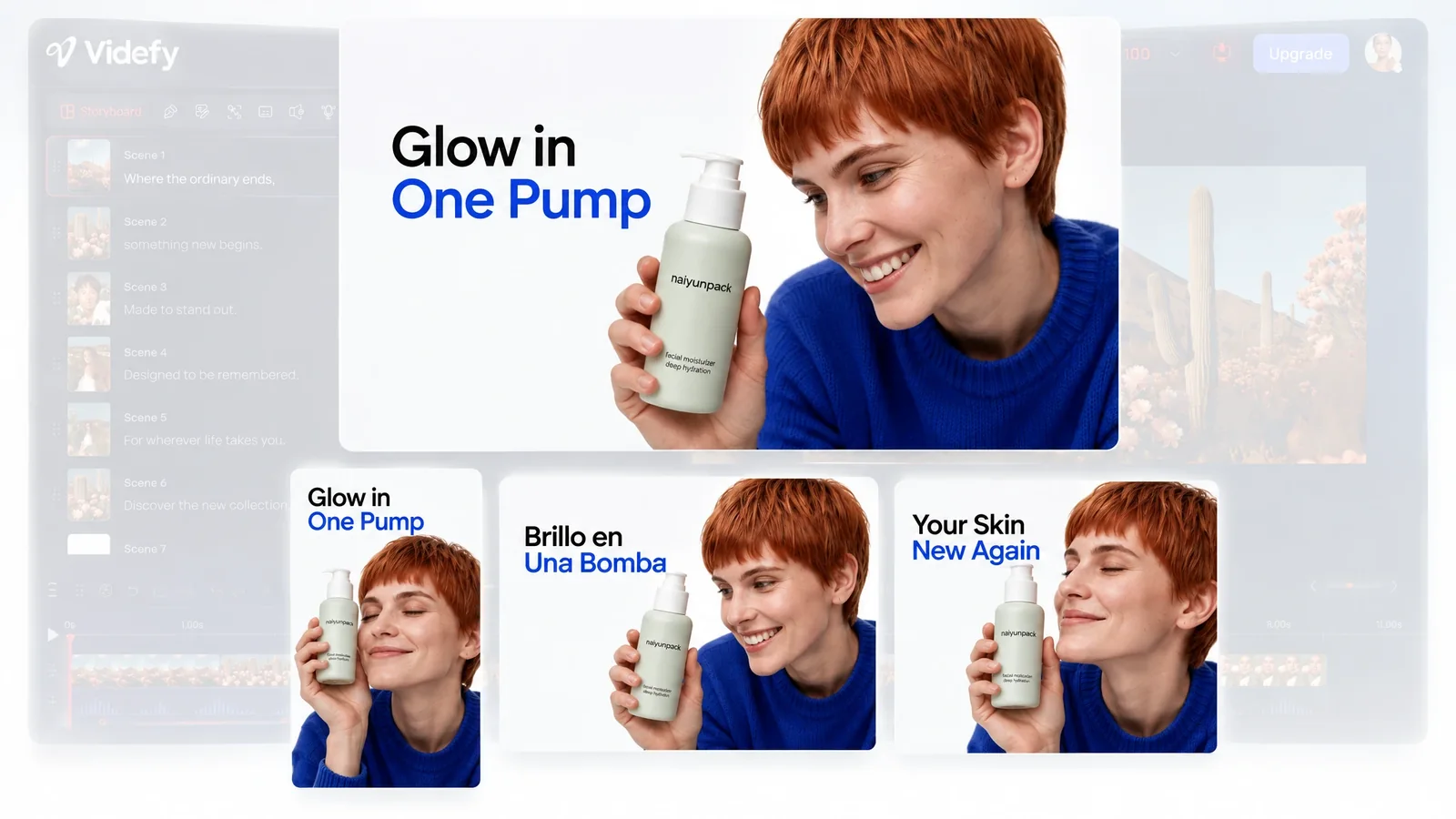
Videfy is a video platform for marketing teams that need more than isolated generation tools or a basic video maker for marketing teams. One production environment connects planning, asset creation, editing, finishing, localization, variations, rendering, and export. Adaptable projects and repeatable workflows help you increase production volume while retaining control and preparing video content for publication, external testing, and later scaling.
Frequently asked questions
FAQ
A video creation platform for marketing teams connects the stages required to turn a campaign input into finished video deliverables. The platform supports scriptwriting, storyboarding, asset generation, video generation, editing, audio, captions, localization, variations, rendering, and export in one production environment.
Yes. You can start with an idea, prompt, script, template, or existing footage. Templates and existing media can provide the base for the primary video, while generated images, clips, characters, assets, or scenes can fill specific production requirements.
No. AI generation supports the asset and scene creation stages, but Videfy also covers the work before and after generation. The platform connects campaign planning, detailed editing, animation, audio, captions, translation, variations, rendering, and export.
Yes. You can adjust the message, scenes, assets, timing, transitions, effects, text, animation, voiceover, audio, captions, language, formats, and dimensions for individual versions. You determine which changes belong in each variation.
You can change messages, offers, hooks, visuals, voices, languages, captions, formats, and dimensions to suit different campaign requirements. Videfy can translate voice and captions while you review and control each localized or audience-specific result.
No. Videfy helps you produce and export variations for external testing. It does not run advertising tests, measure campaign performance, select winners, or manage media scaling. After external results identify a winning version, you can return to Videfy and produce related variations without rebuilding the entire project.
Video Automation uses repeatable workflows to create and update related variations without rebuilding each version manually. It supports production execution rather than strategy. You still choose the inputs, changes, audiences, and final outputs.
Produce Your Next Setof Campaign Videos
Use Videfy as your video creation platform for marketing teams and move from one campaign concept to finished, adaptable variations in a connected workflow. Publish each approved version or send it to external testing. When results identify a winner, return to the original project to produce related creative and scale winning creative without restarting production.