


Video CreationPlatform for Agencies
Turn a client brief into a production-ready idea, prompt, or script, then move through production to finished video variations. Videfy is a video creation platform for agencies that connects planning, production, editing, finishing, and export. Build the primary creative, adapt it into related deliverables, and retain control over every version without reconstructing the production process.

From Idea to Finished Video
An agency receives a product campaign brief and creates the main video. From that project, it produces a vertical social cut, a square version, a localized edit, and an alternative opening for testing. The agency video creation platform keeps the script, scenes, assets, audio, captions, and dimensions connected while each deliverable is prepared for its destination.
What You Can Produce With Videfy
Turn the Brief Into a Production Plan
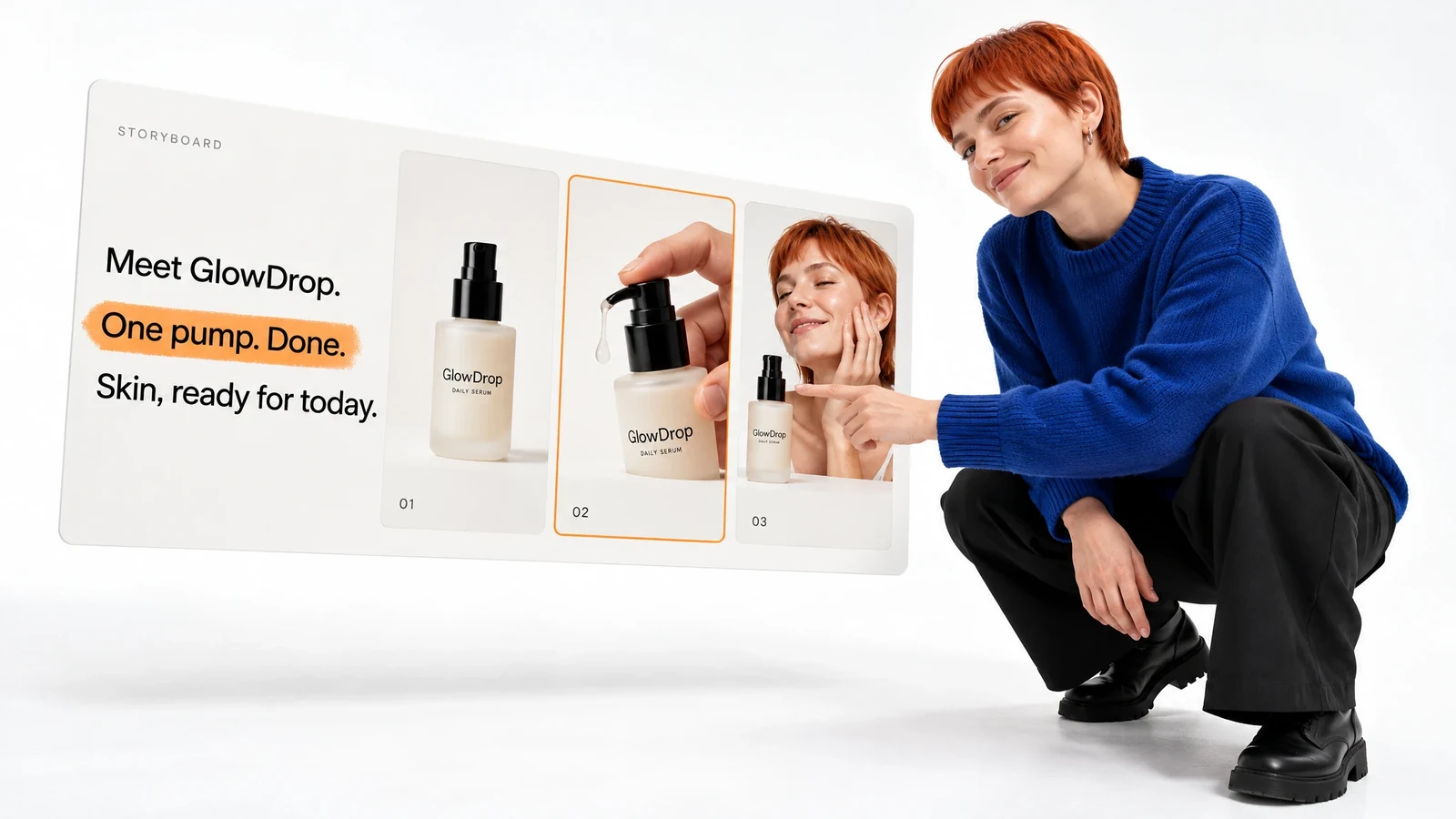
Start with a campaign idea, marketing direction, prompt, or existing script. Refine the message through scriptwriting, then organize the video scene by scene with a storyboard. This establishes the content sequence and identifies the footage, images, characters, and other assets required before production begins.
As video creation software for agencies, the platform connects the plan to the creative work that follows. The script and storyboard stay within the wider production context rather than becoming separate files with no direct relationship to the final edit.
Create and Refine Visual Assets
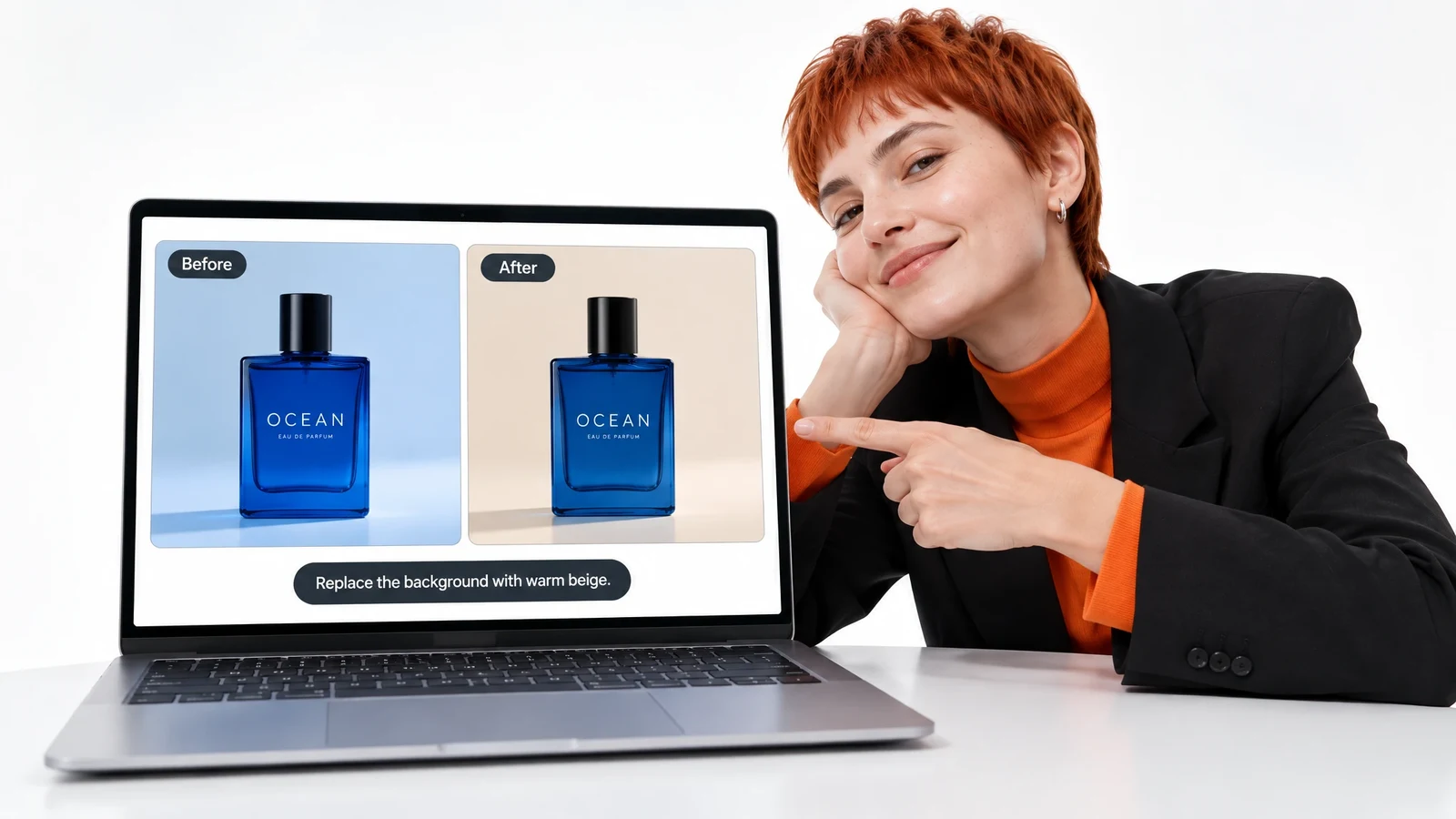
Use a template or uploaded footage, or generate images, clips, characters, assets, and scenes from a description. Image editing lets you replace an object, change a background, or improve an individual image without regenerating everything around it.
AI generation is one stage of production. An AI video creation platform for agencies also needs to support editing, audio, captions, variations, and delivery after the generated material enters the project.
Edit and Finish Every Version
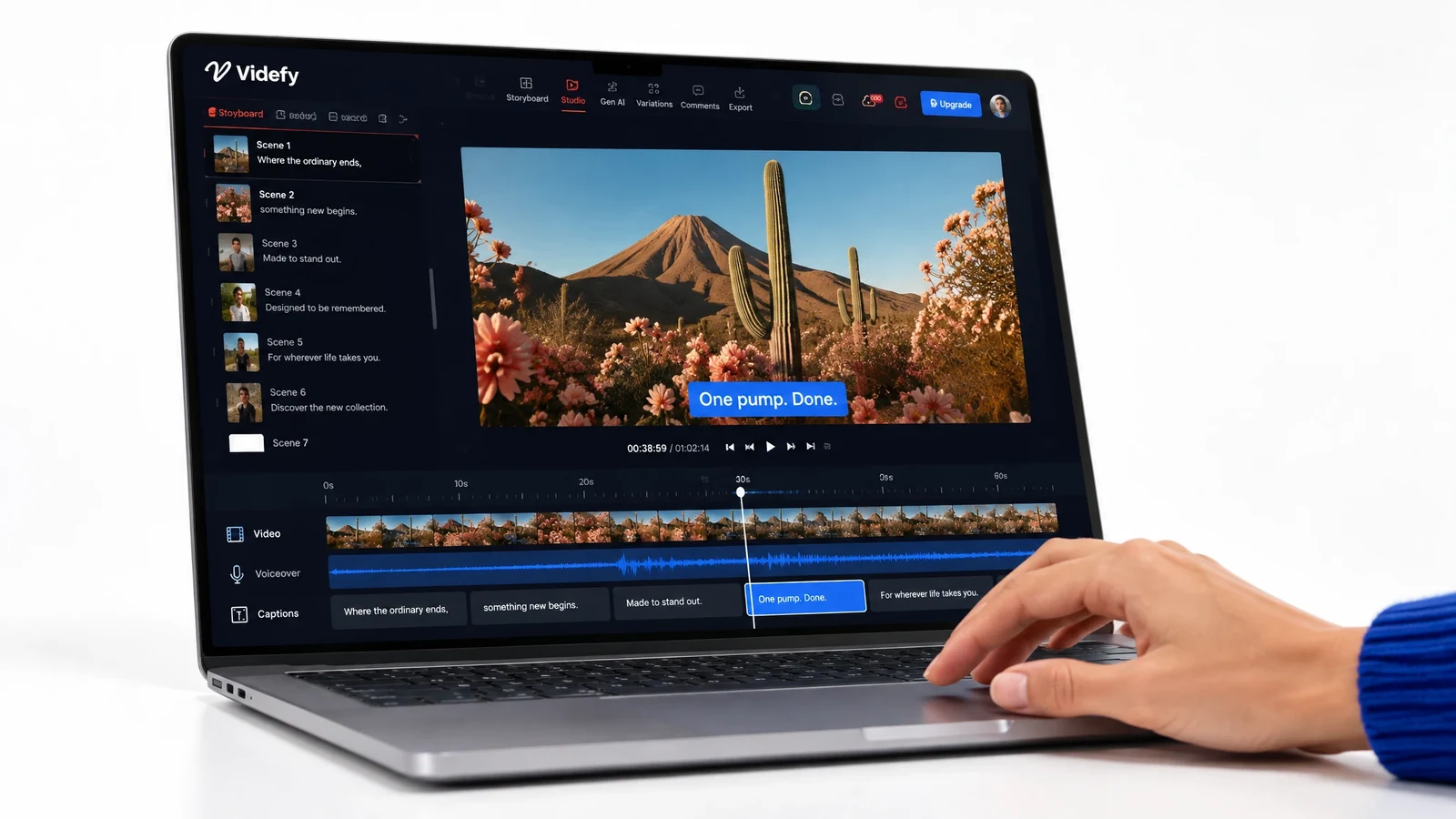
Describe a change in plain language and let Lyra edit the video, or work directly on the professional timeline. Adjust clips, timing, transitions, effects, text, and other elements. Use keyframes and animation to control movement and timing.
Create voiceovers, clean and mix audio, and generate, time, and style captions. Translate voice and captions for localized deliverables. The platform then renders and exports completed files in the formats and dimensions required for different channels.
Adapt Videos for Project Requirements
Use the agency video production platform to change messages, scenes, audience segments, languages, platforms, formats, or dimensions. One primary project can support several related outputs while keeping the creative details of every variation editable.

From Brief to Export
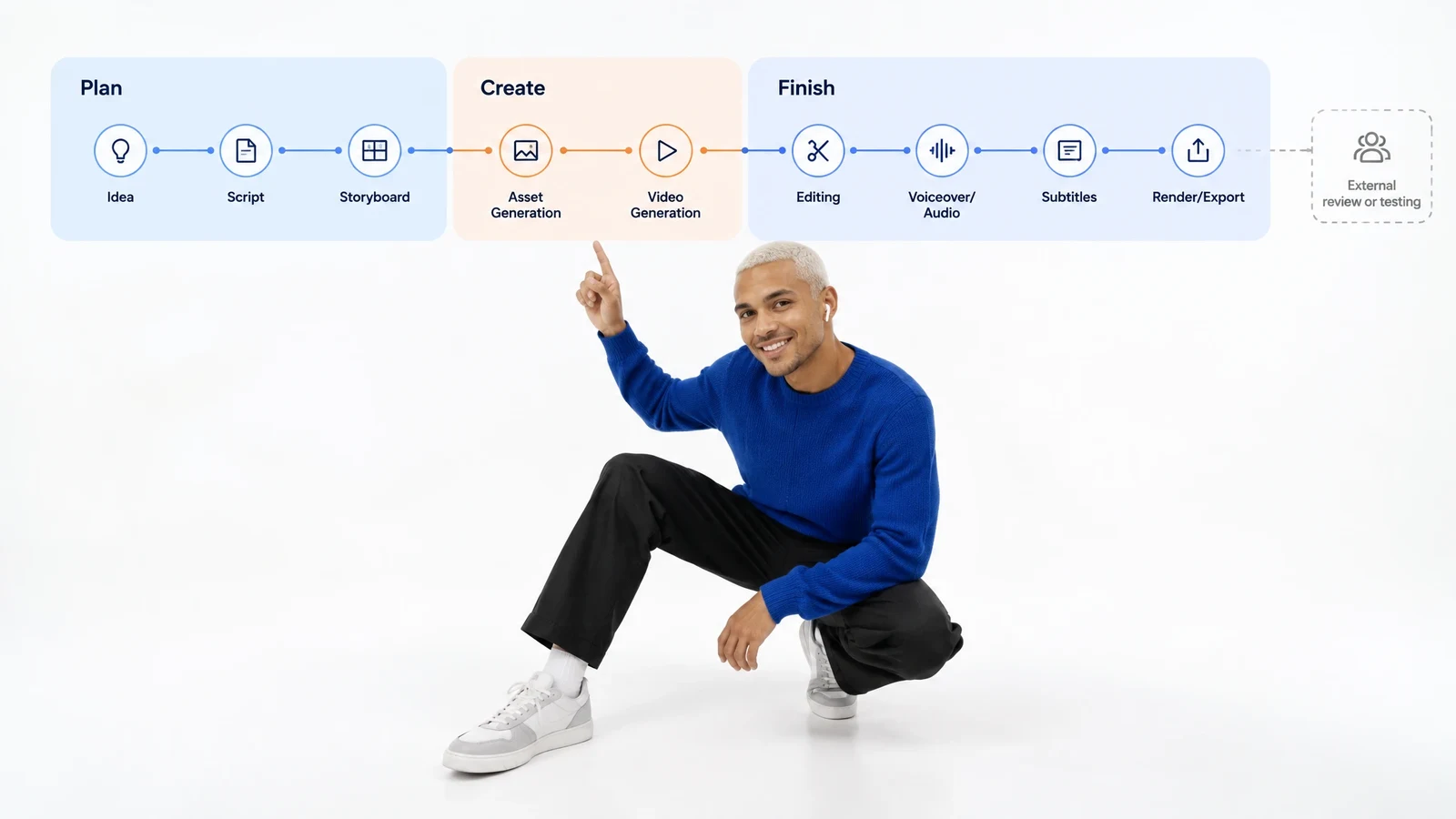
Idea → Script → Storyboard → Asset Generation → Video Generation → Editing → Voiceover/Audio → Subtitles → Render/Export
- Idea

- Script
- Storyboard
- Asset Generation
- Video Generation
- Editing
- Voiceover/Audio
- Subtitles
- Render/Export
Videfy connects the full production sequence: Idea → Script → Storyboard → Asset Generation → Video Generation → Editing → Voiceover/Audio → Subtitles → Render/Export
The brief informs the script, and the storyboard turns the message into planned scenes. Generated or uploaded assets provide the visual material. Editing determines structure, pacing, text, effects, and motion. Voiceover, audio, and captions finish the video before rendering and export.
The all-in-one video production workspace keeps these stages connected. Variations extend the primary project into the deliverables required by the campaign. The platform prepares the files for review, publication, or external testing, but it does not provide client approvals, campaign analytics, or performance measurement.
How It Works
Start With the Project Input
Begin with a brief, idea, prompt, script, template, existing video, or uploaded footage. Define the message and the primary output required for the project.
Plan the Script and Scenes
Refine the copy and organize the storyboard around the intended sequence. Identify which scenes will use supplied media and which require generated assets.
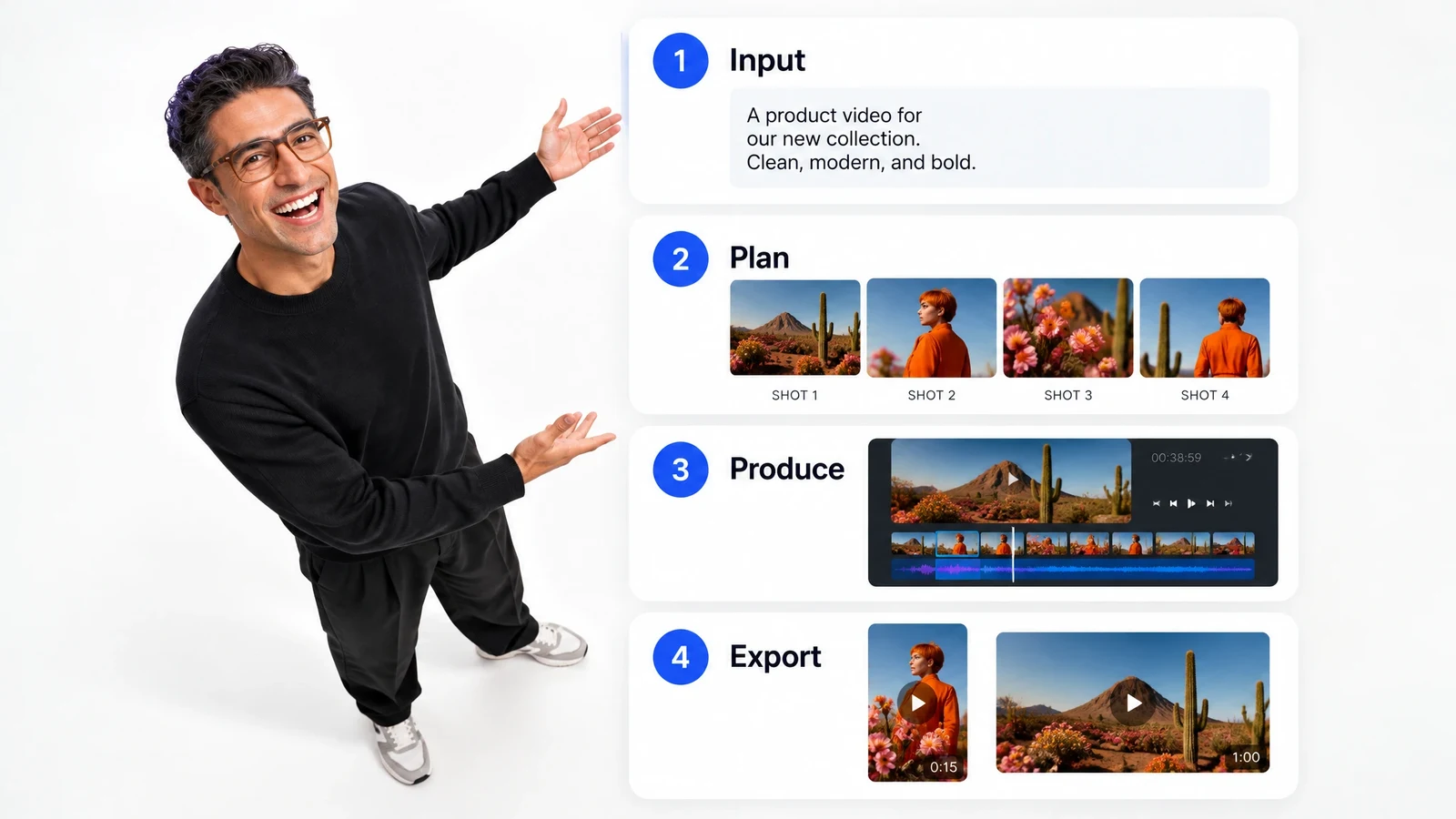
Produce the Primary Video
Generate or upload the visual elements, assemble the scenes, and complete the main edit. Refine timing, transitions, effects, text, animation, voiceover, sound, and captions.
Finish and Export
Review each version, then render the required files for delivery, publication, or external testing. The result is a set of separate deliverables produced from one connected foundation.
Control Every Deliverable
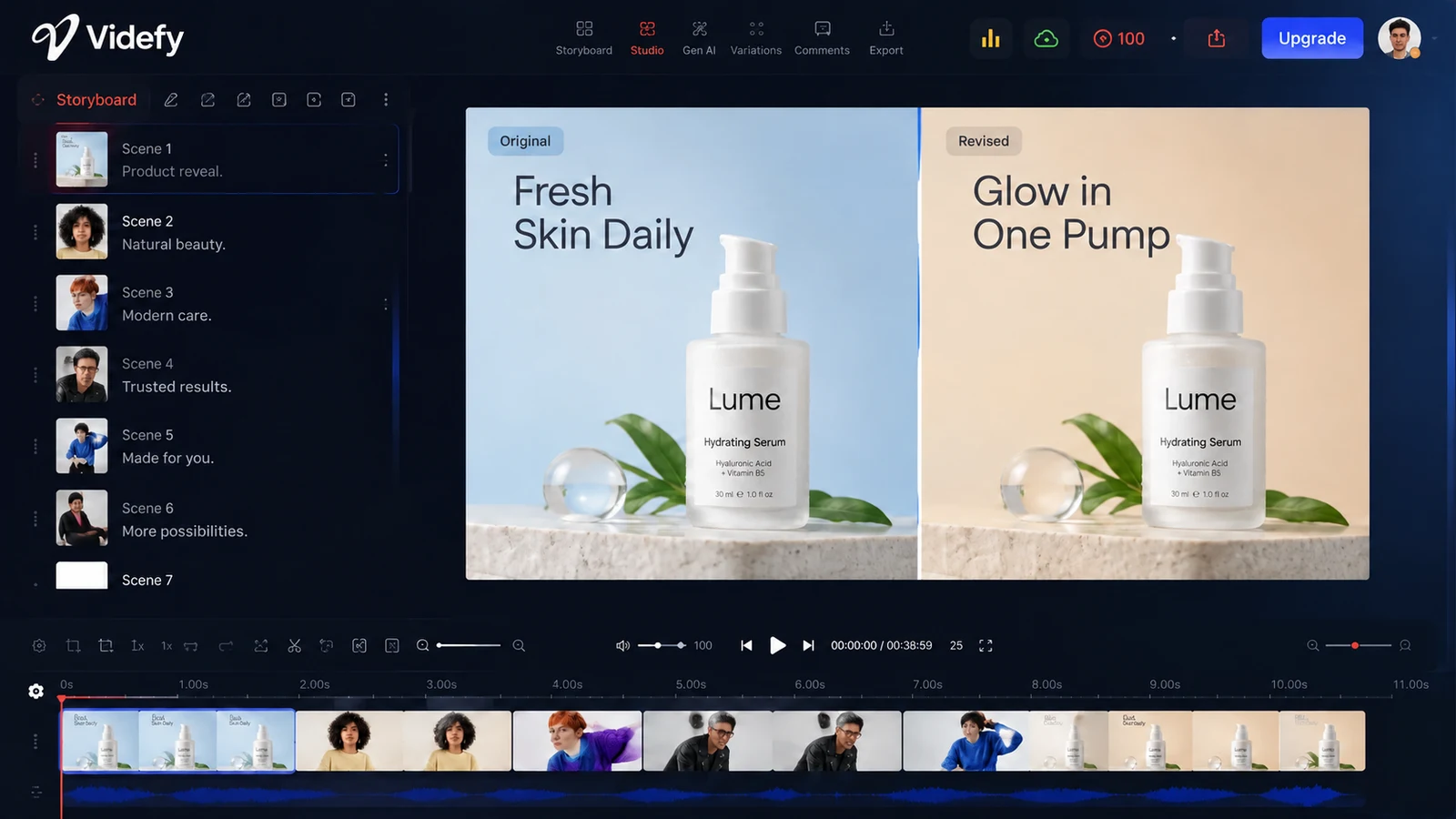
You decide what remains consistent and what changes across versions. Revise the script, reorder scenes, replace an asset, change a background, or adjust an individual object. On the timeline, refine clip length, transitions, effects, text, layers, movement, and animation.
The same control continues through finishing. Choose the voice and language, clean or mix audio, style captions, and prepare the correct dimensions and format for each destination. Generated content and uploaded footage can be refined using the available editing tools.
Videfy supports video production within each project, while your agency retains control over client communication, creative direction, reviews, and final approval. Your team interprets the brief, reviews the brand presentation, and decides which version is ready for delivery. Each version can be refined before export.
Different Projects,Adaptable Outputs
Campaign and Social Content
Turn one marketing campaign concept into channel-specific cuts with different openings, messages, lengths, text, captions, and dimensions. Keep related outputs connected to the primary project instead of rebuilding each file as an isolated production.
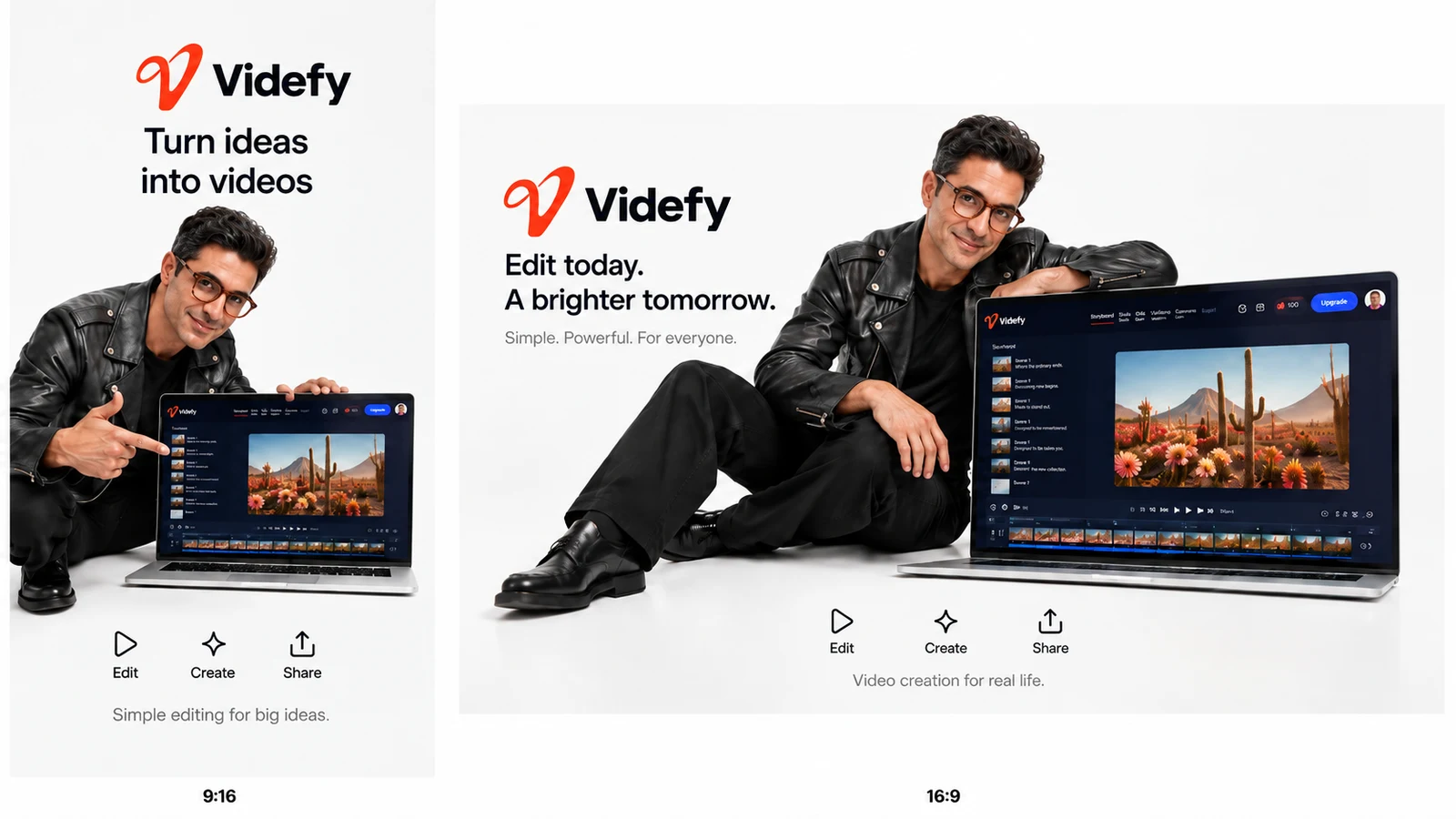
Product Videos and Tutorials
Use a script and storyboard to organize the explanation, combine supplied footage with generated assets, and add narration, animation, audio, and captions. Return to the existing project when the product message or delivery specification changes.
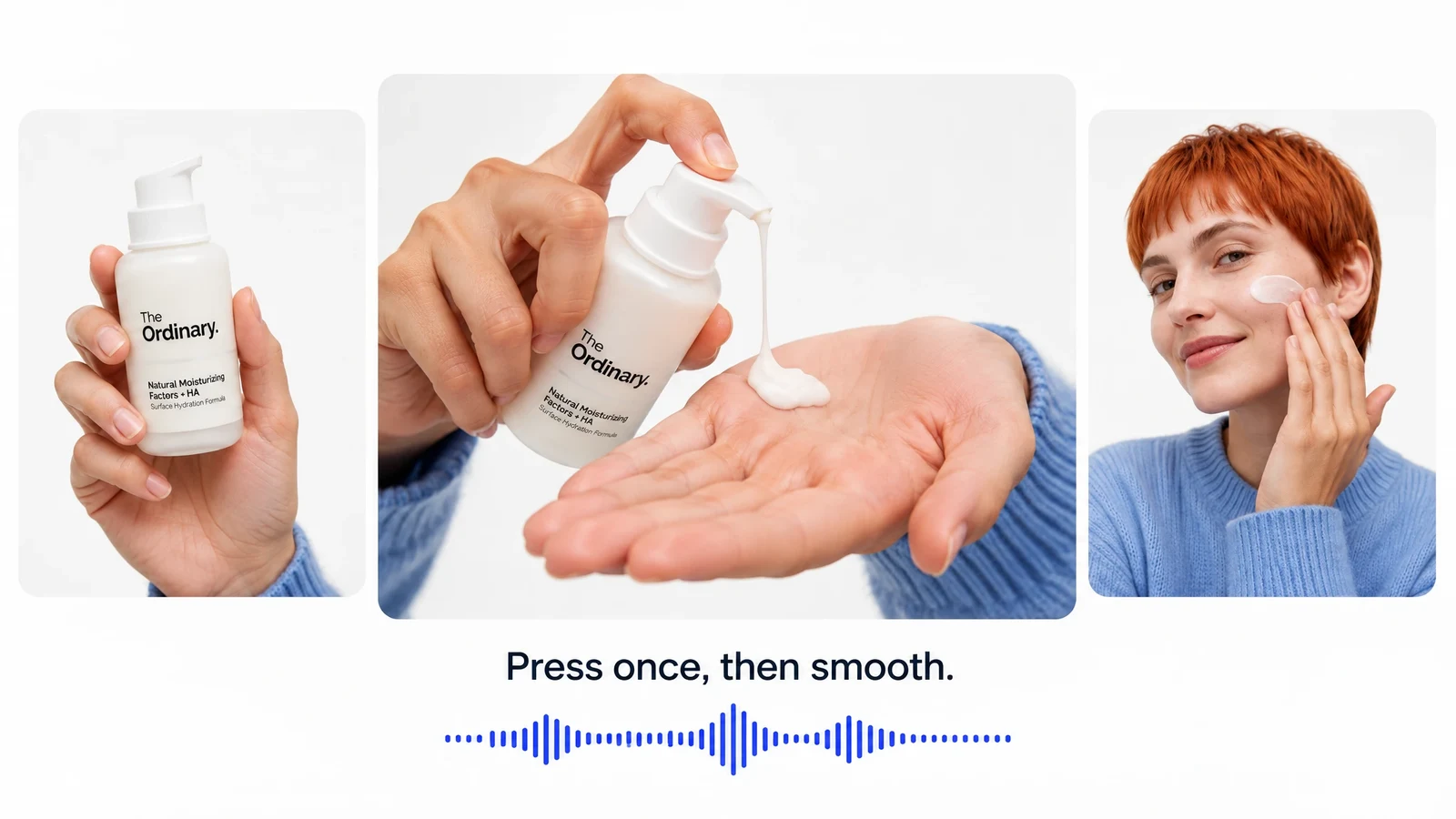
Localized Content
Translate voiceovers and captions, adjust on-screen text, and replace selected visuals for different markets or languages. A video platform for agencies keeps this localization work tied to the original edit.
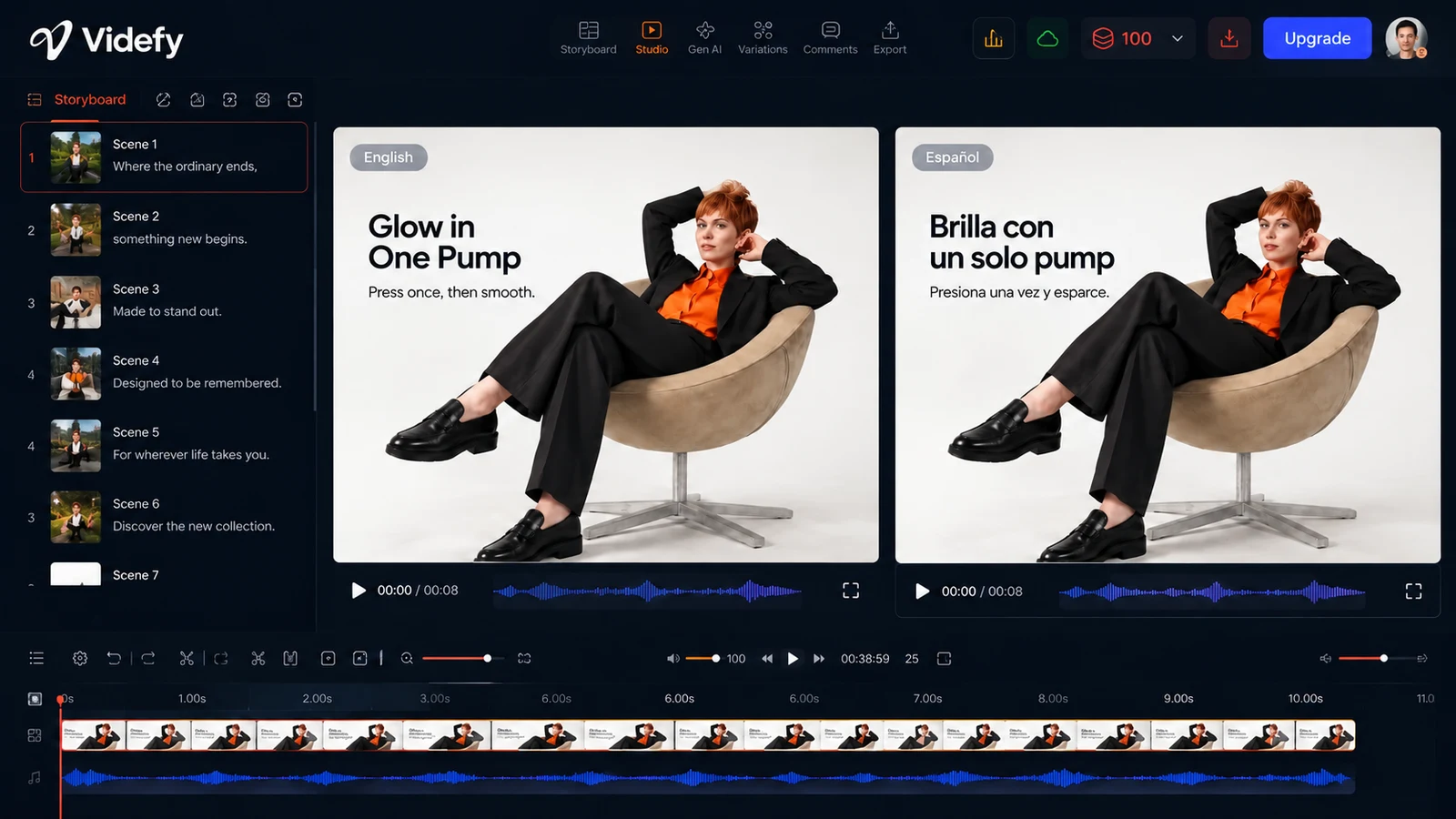
Production Across Multiple Accounts
Create videos for multiple clients by applying the same structured production approach to separate projects. Repeatable client video workflows support consistent execution without implying that Videfy manages accounts, permissions, communication, or approvals. Apply the same workflow structure while keeping each project separate.
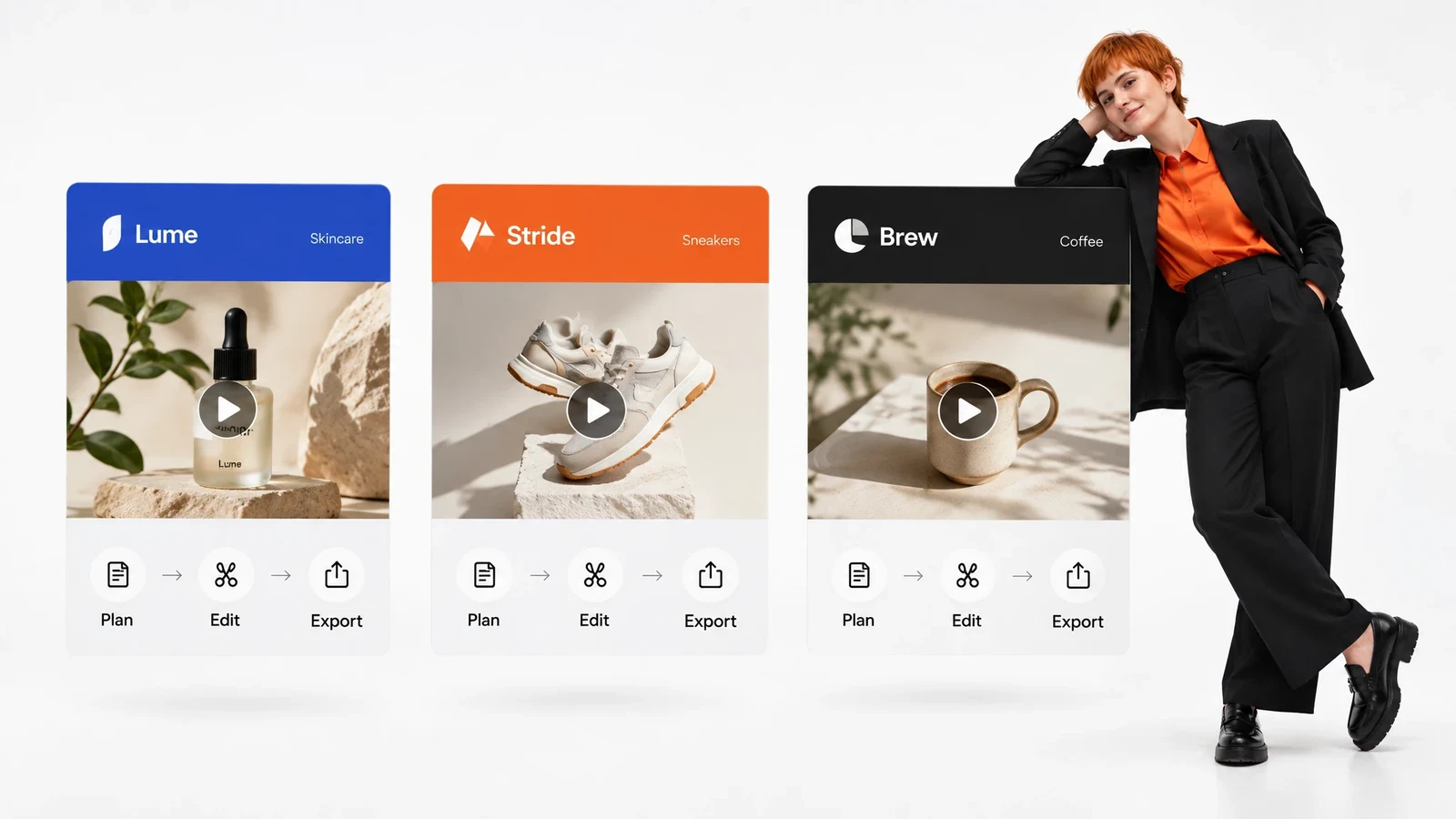
Keep Production Connected
A connected video production workflow keeps the brief, script, storyboard, assets, timeline, audio, captions, variations, and exports within the same project context. This reduces transfers between tools, fragmented source files, and repeated recreation when another deliverable is required.
Return to the primary project when the client requests a related output, then adjust only the relevant elements and continue through finishing and export. This connected process supports faster client video delivery by reducing the transfers and rebuilds that can delay production. It also helps scale agency video production without removing control over each version.
Because the workflow stays connected, revisions can continue from the existing source rather than from a reconstructed file set.
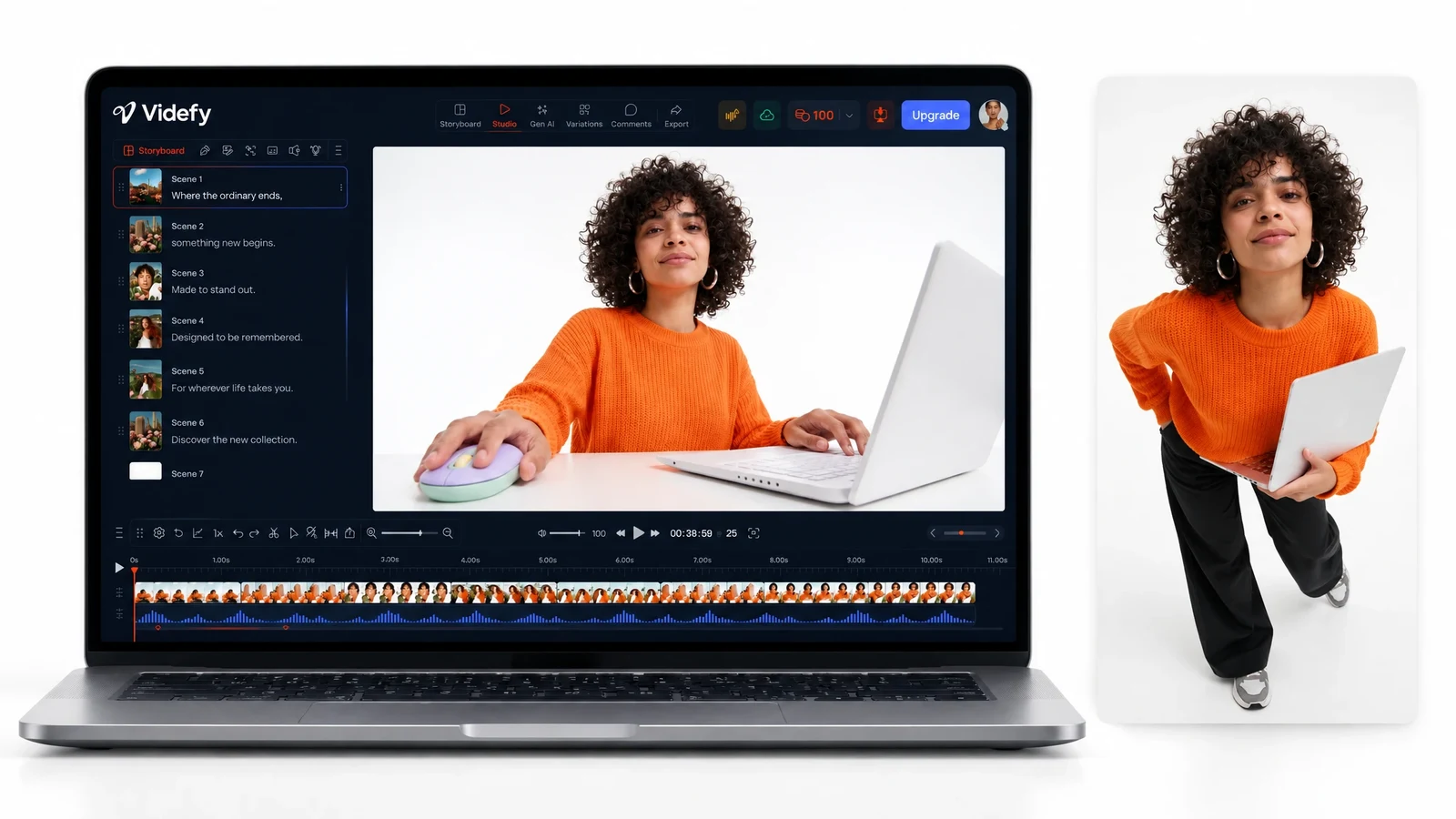
Why Use Videfy
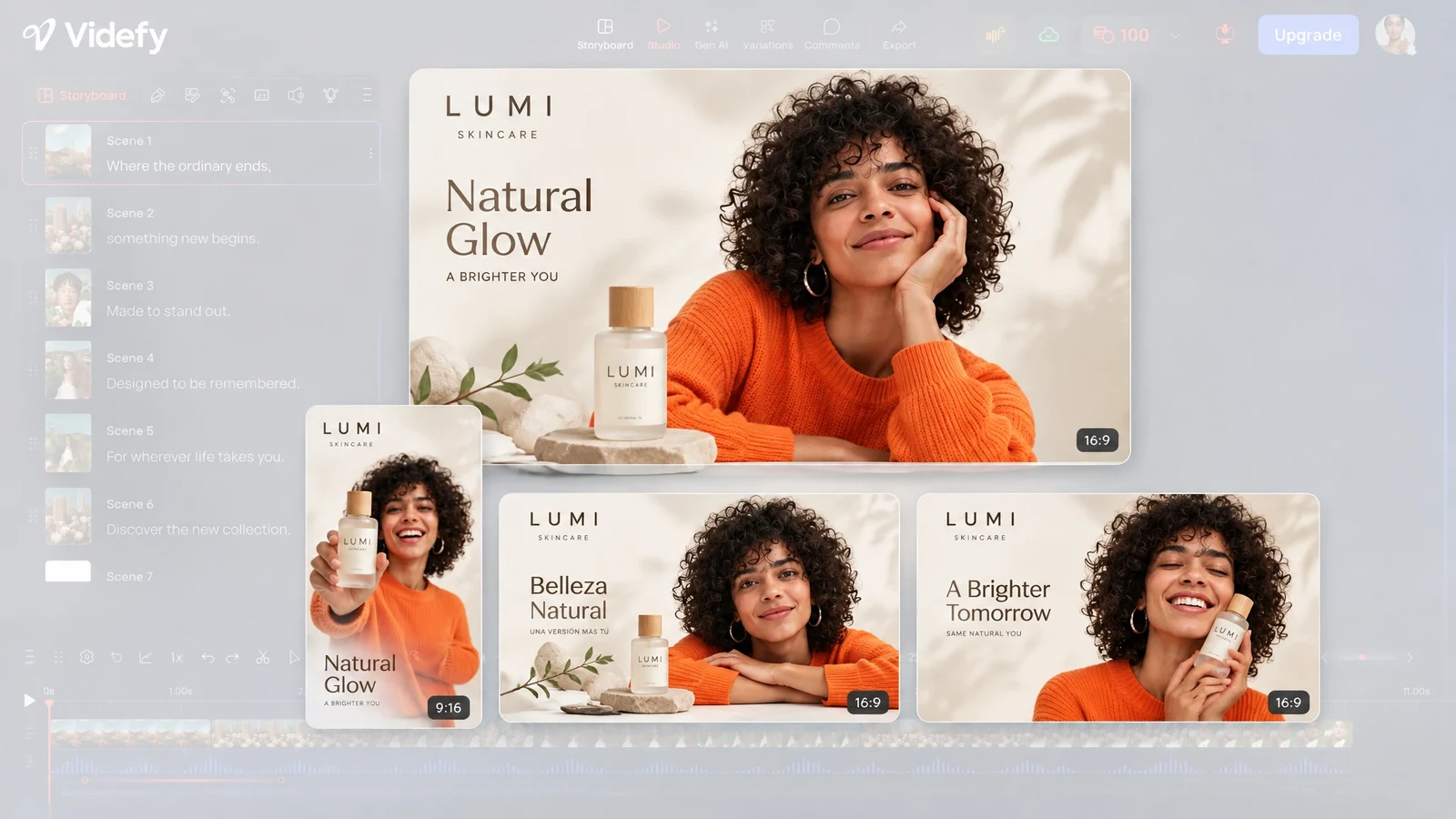
Videfy is a video creation platform for creative agencies that combines planning, generation, image editing, timeline control, audio, captions, localization, variations, rendering, and export. Adaptable projects and repeatable production help an agency create related campaign deliverables without starting over. The platform supports project-specific work while keeping production control within each individual video. Each output remains adaptable as production requirements change.
Frequently asked questions
FAQ
A video creation platform for agencies connects the stages required to turn a brief or existing asset into finished video deliverables. The platform supports scriptwriting, storyboarding, asset generation, editing, voiceover, audio, captions, localization, variations, rendering, and export in one production environment.
Yes. Videfy lets agencies turn one video or template into variations for different audiences, languages, platforms, formats, and creative tests while retaining control over every version.
Yes. You can adjust the message, scenes, assets, timing, transitions, effects, text, animation, voiceover, audio, captions, language, formats, and dimensions for individual versions. Your team decides which elements belong in each deliverable.
The capabilities described here cover video production within individual projects, not client management or approvals. Videfy supports video production within each project, while the agency retains control over client communication, creative direction, reviews, and final approval.
Yes. Videfy can create a natural-sounding voiceover in a selected voice and language, generate and style captions, and translate voice and captions into other languages. Each localized version remains available for further editing before export.
No. Videfy helps you produce variations for external testing. It does not run advertising tests, measure performance, identify winning creative, or manage media scaling. After external results identify an effective version, return to the original project and produce related variations without rebuilding the complete workflow.
Videfy renders and exports completed videos in the formats and dimensions required for different platforms. Review each edit, language, audio track, caption set, and variation-specific change before preparing the final deliverables.
Produce Client Videos at Scale
Use Videfy as your video creation platform for agencies and move from a client brief to finished, adaptable deliverables within one connected production process. Create the primary video, prepare the required variations, and render each approved version for client delivery, publication, or external testing.